CyberGate Technical Analysis
Malware Analysis
Reverse Engineering

Experience Level required: Intermediate
Objectives
In this report, we will analyze CyberGate, a Delphi malware, to determine its function and capabilities.
Overview
According to Subex Secure, CyberGate is a Remote Access Trojan (RAT) that allows an attacker to gain unauthorized access to the victim’s system. Attackers can remotely connect to the compromised system from anywhere around the world. The Malware author generally uses this program to steal private information like passwords, files, etc. It might also be used to install malicious software on the compromised systems.
Basic Analysis
Let’s get some information about this sample. I’ll use pestudio
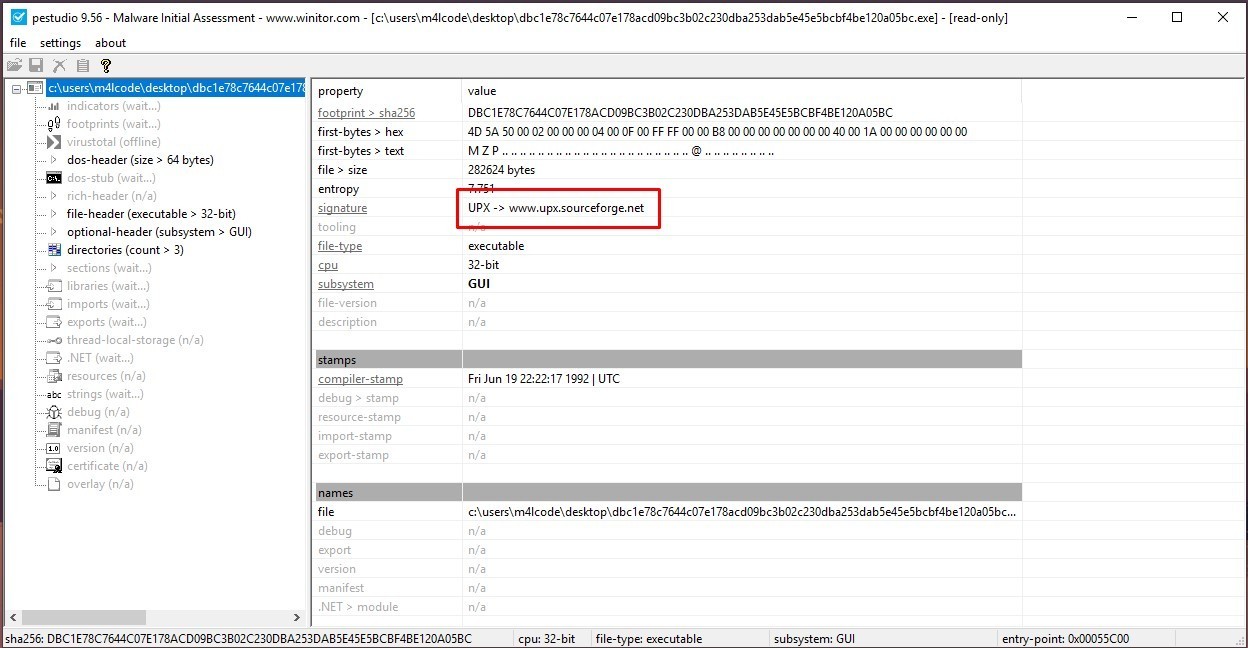
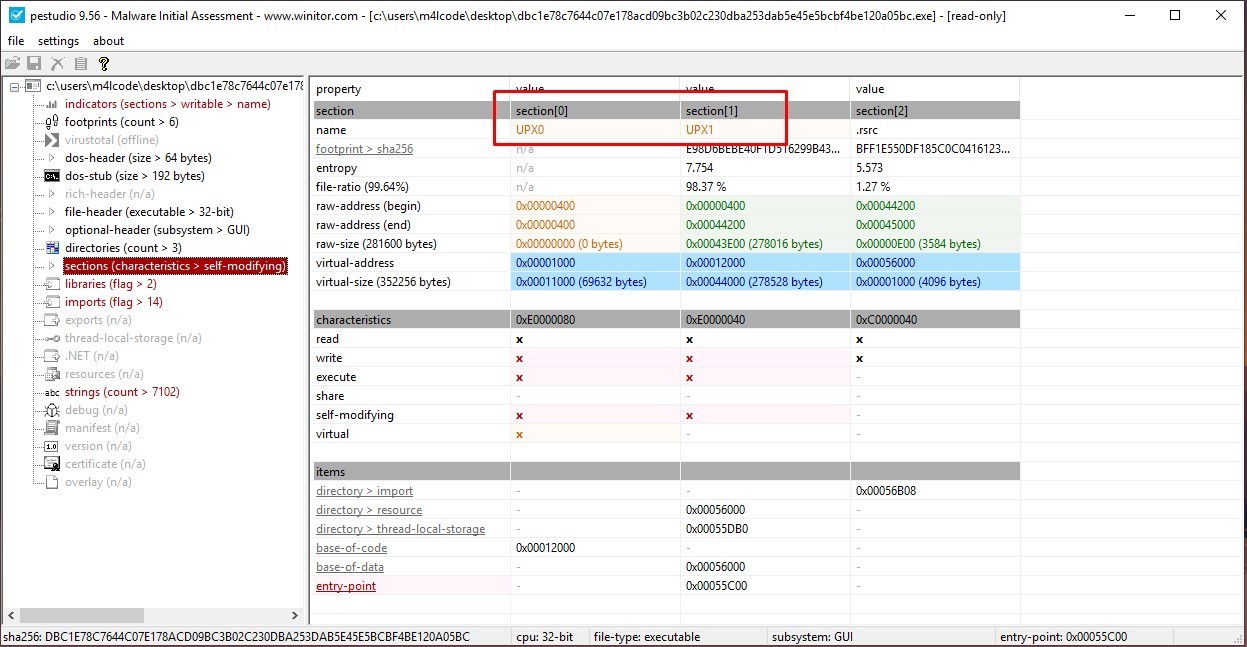
We have some indicators that this sample is packed using UPX Packer, as shown in the figure above, UPX is a file compressor. It reduces the file size of programs and DLLs by around 50%-70%, malware authors use that packer to obfuscate and compress their malicious code.
We can unpack this sample by using UPX tool as seen below
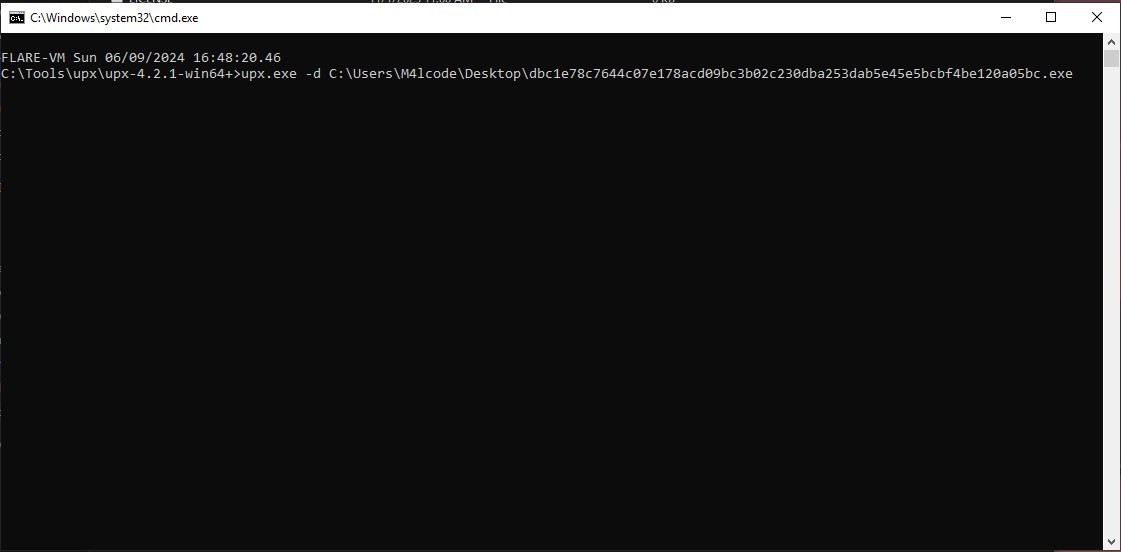
Note: The packed file will be replaced by the unpacked one
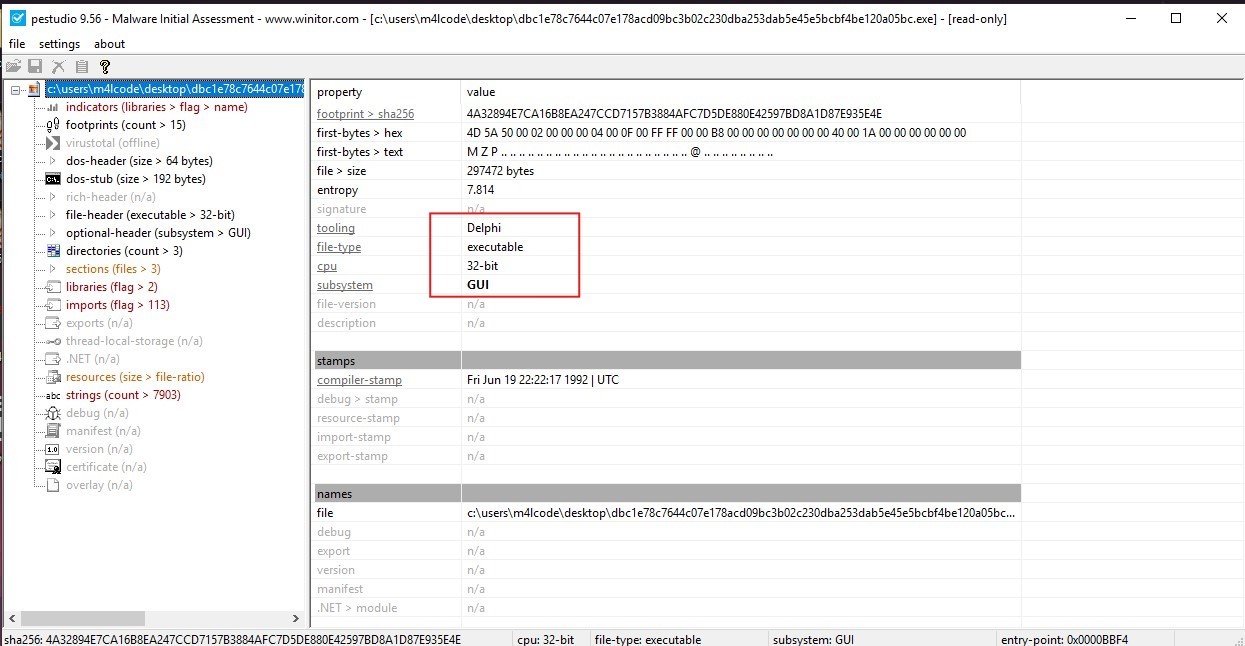
The malware is 32bit and it is written in Delphi, as you can see in the image above.
Let’s see if it’s packed or not. I’ll use DIE
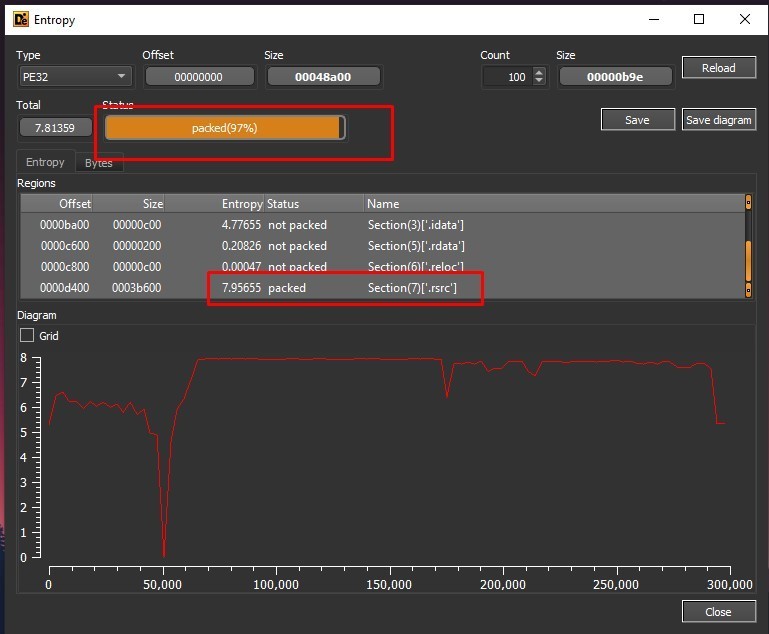
The sample is packed, specifically .rsrc section
Before doing the advanced analysis we need to see the sample behavior in a sandbox, I’ll use tria.ge.
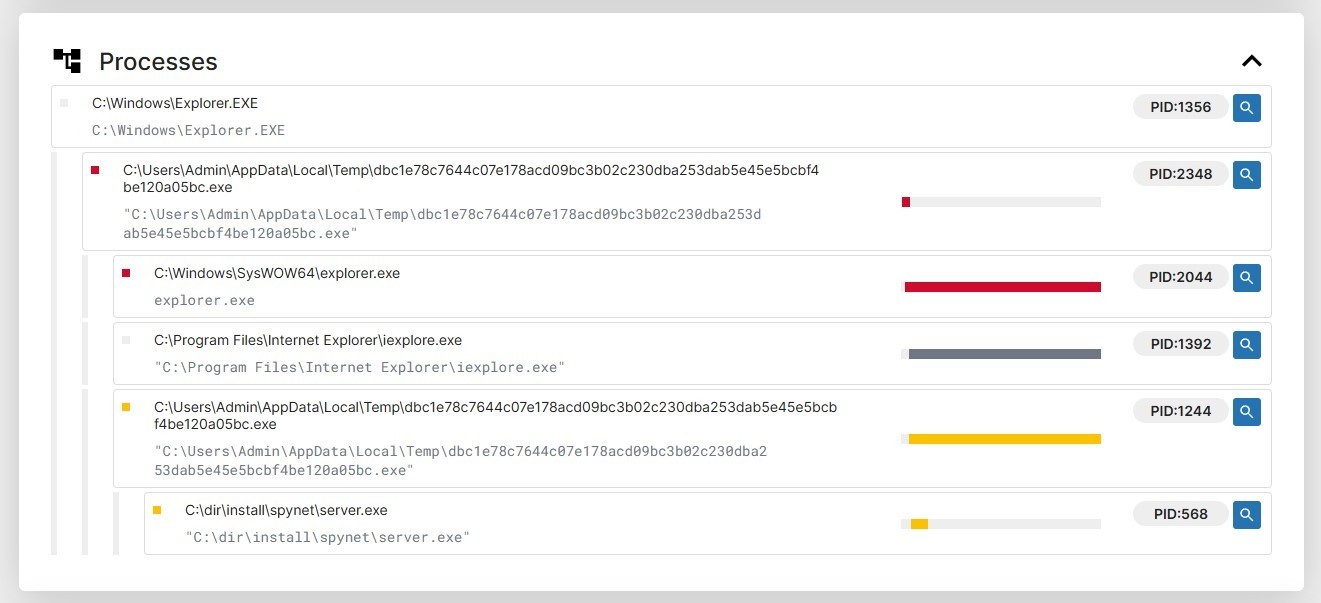
The processes created by CyberGate:
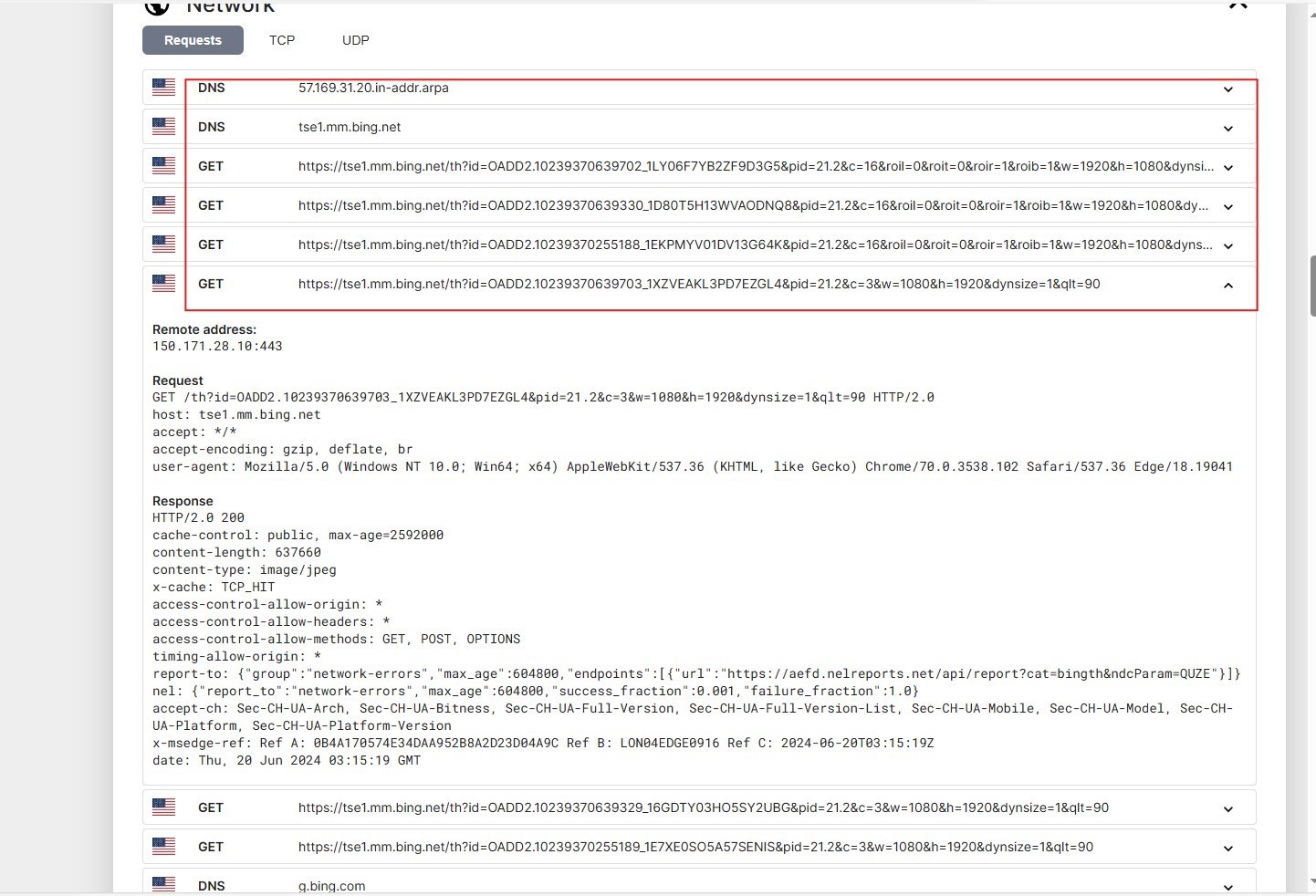
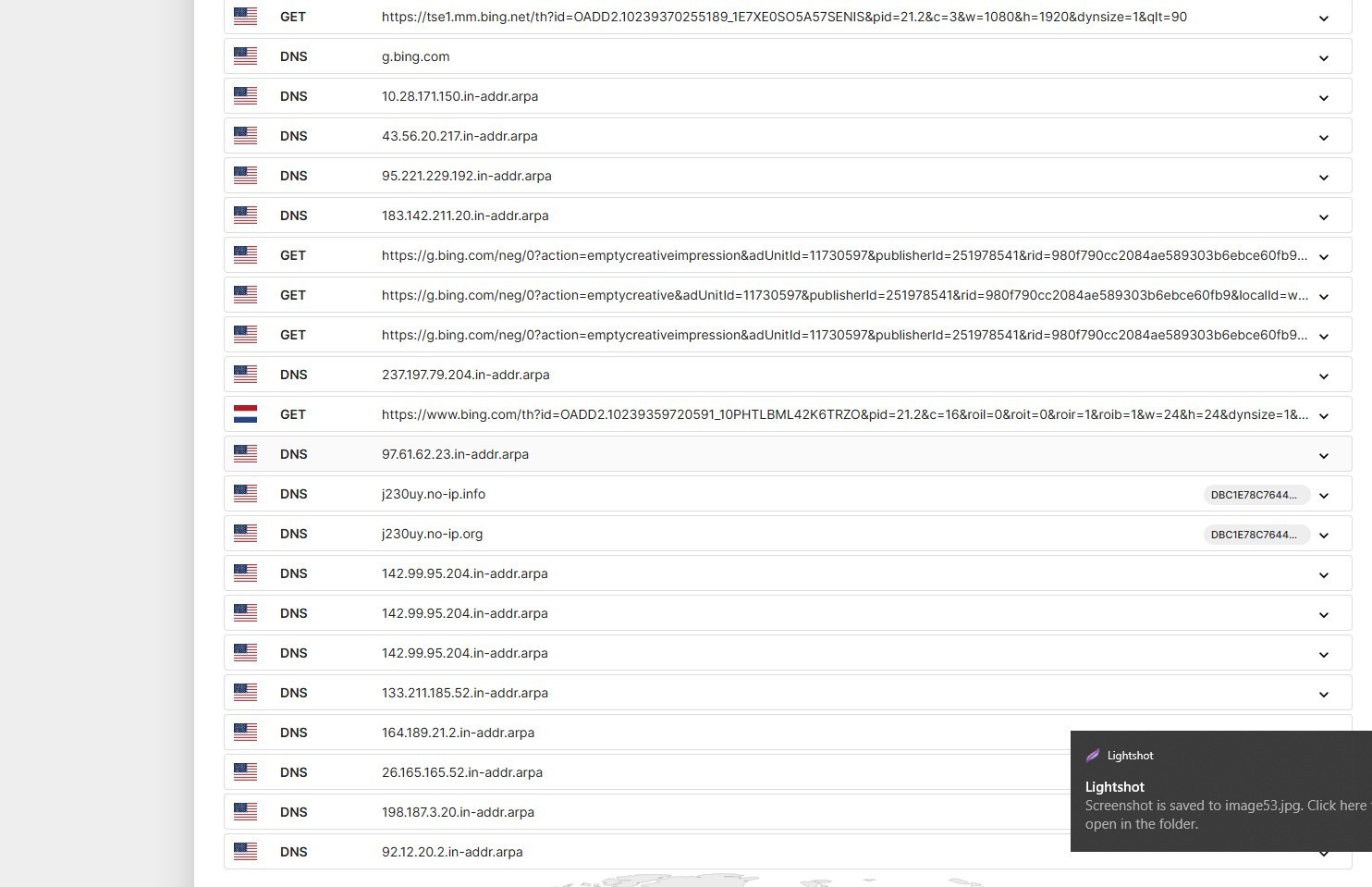
CyberGate tried to communicate with these C2 servers in WIN10 Sandbox
CyberGate creates mutexes to avoid running multiple instances of it at the same time.
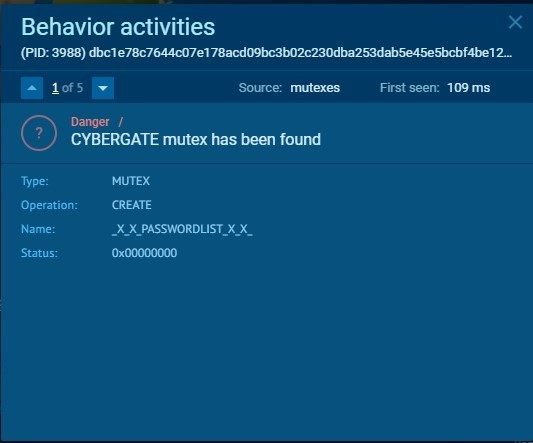
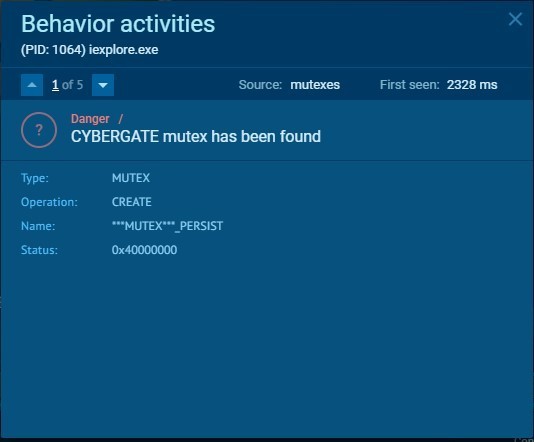
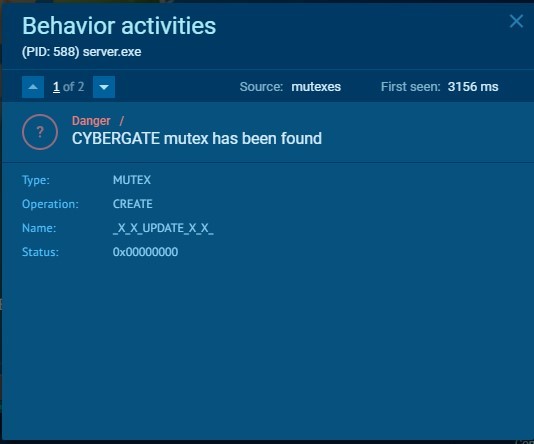
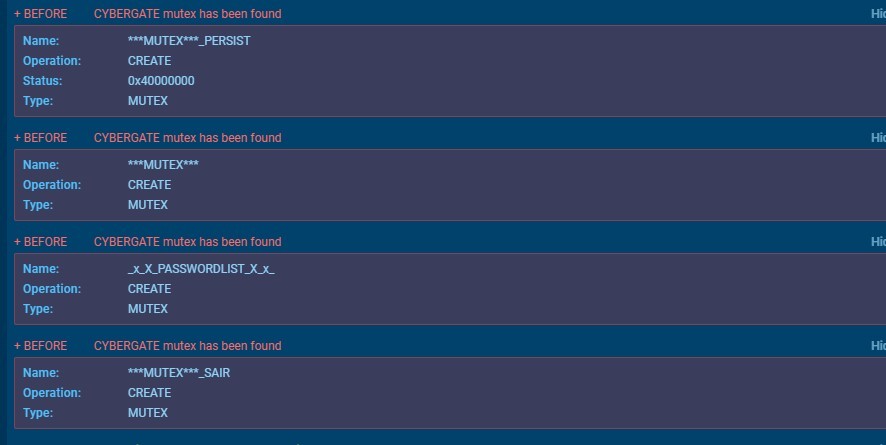
Mutexes:
Dropped files
CyberGate dropped some files, Let’s take a look on them
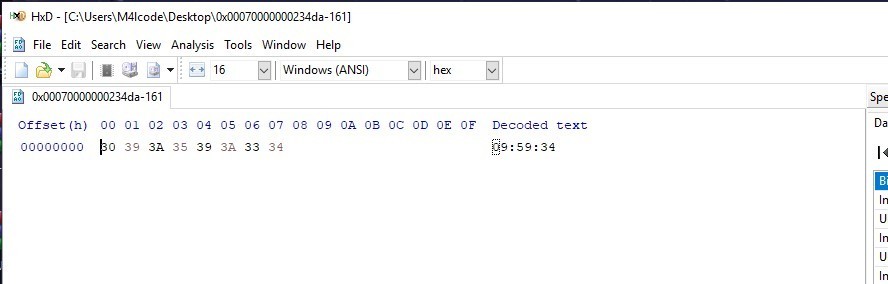
UuU.uUu
This file Contains only a time value
09:59:34
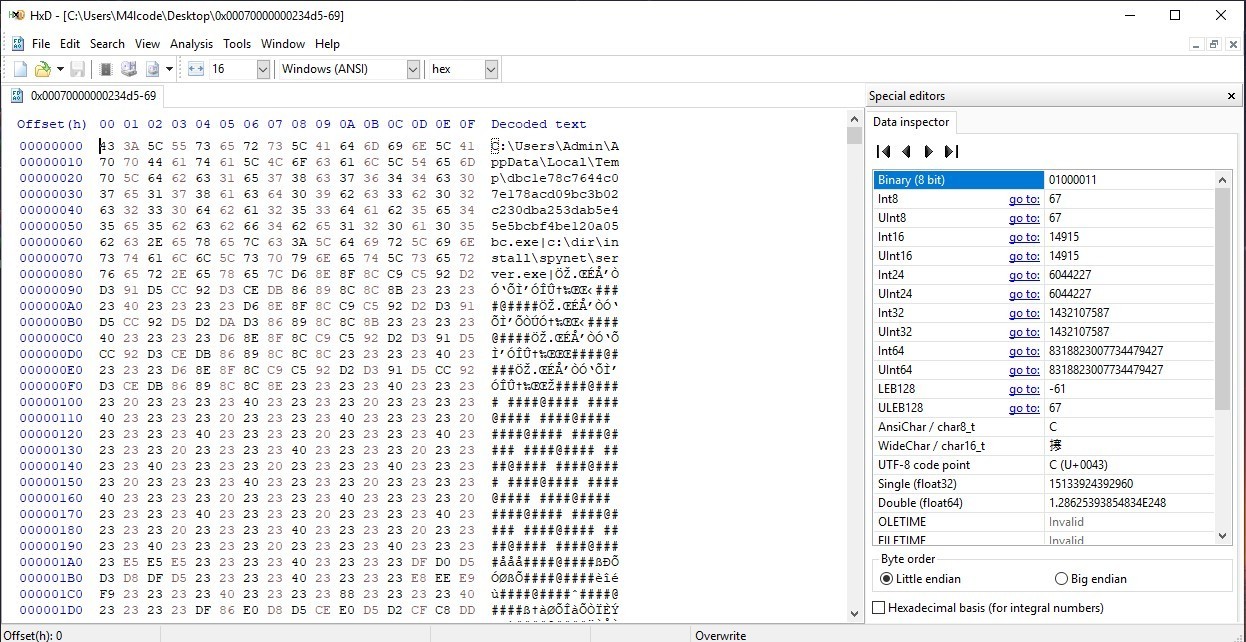
XX–XX–XX.txt
Contains two paths
in the first 88 byte, after that there is dump bytes
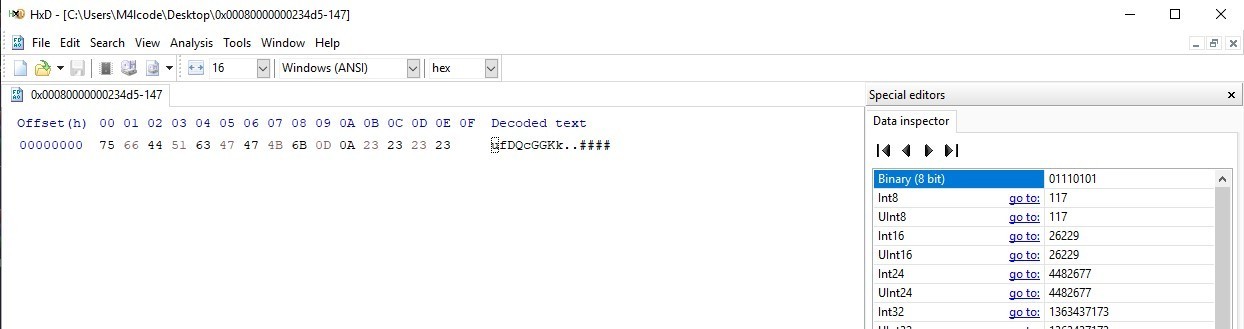
logs.dat
This file contains 9 bytes with random letters, maybe it is a decrypted string and the malware will use it later with the strings in the two other files
server.exe
This is the process that the malware injected malicious code in, we will take a look at it later.
Let’s take a fast look at the code of the sample before unpacking it
Advanced Analysis
1st Stage
Let’s open the sample in IDA
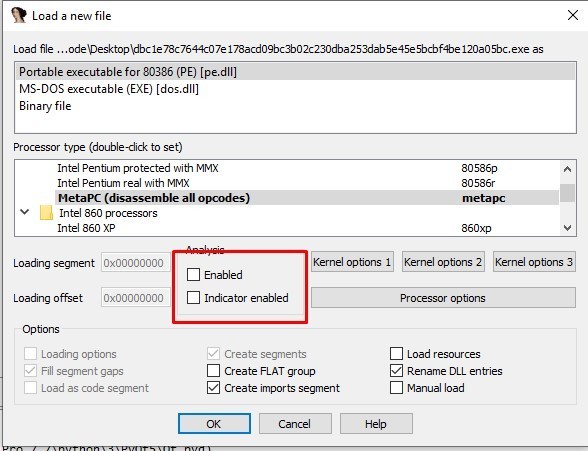
we need to do some changes in IDA options
1- Disable the analysis
2- in options » compiler, select the following options
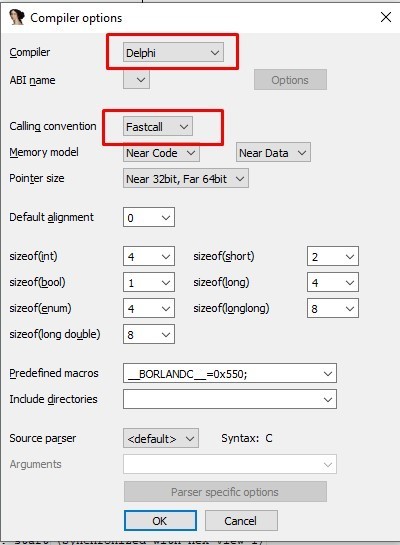
3- in options » general » analysis, select the following options
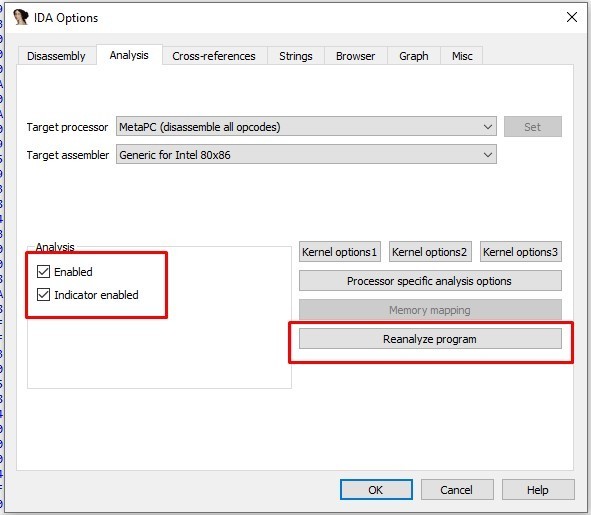
Now we can analyze this sample
Creating and Checking Mutexes
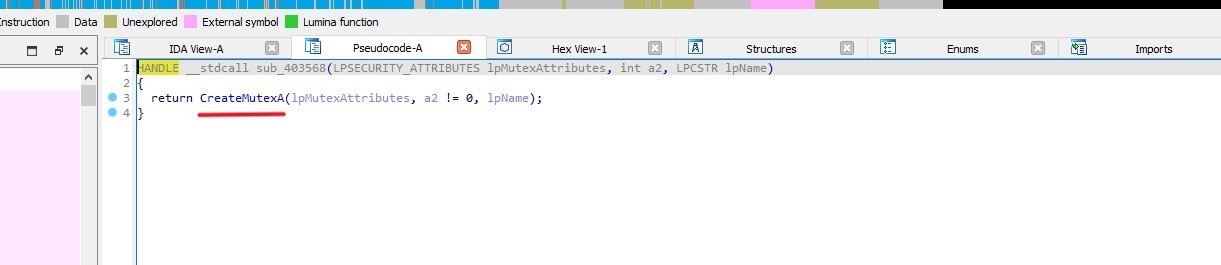
sub_403568 function creates a mutex using CreateMutexA API
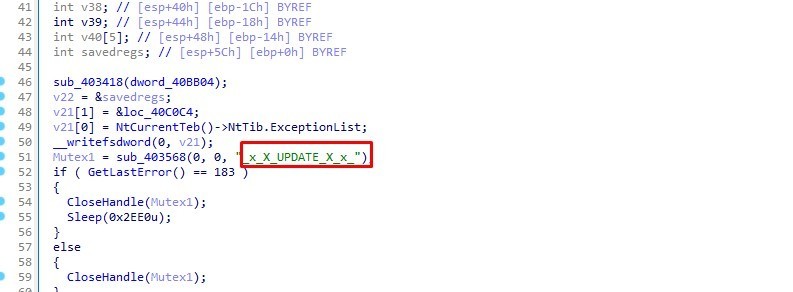
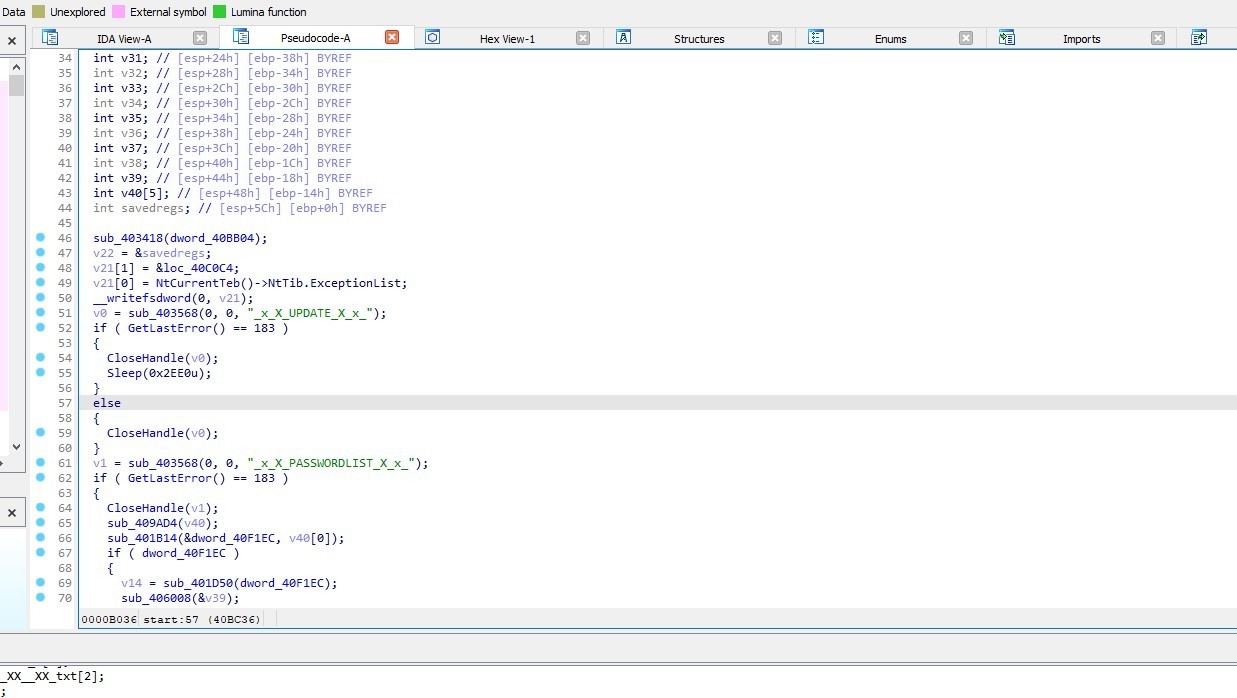
MUTEX: _x_X_UPDATE_X_x_
GetLastError() == 183: Checks if the mutex already exists.
If it does (error code 183), it closes the mutex handle and sleeps for 12 seconds
If it doesn’t, it closes the mutex handle.
Next, sub_403568 creates another mutex
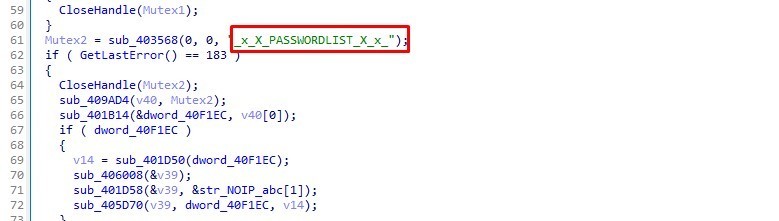
MUTEX: _x_X_PASSWORDLIST_X_x_
if the mutex already exists it closes the handle and go to sub_409AD4
In the most cases this mutex will not exists, so the malware will jump to 0x0040BFA0 address
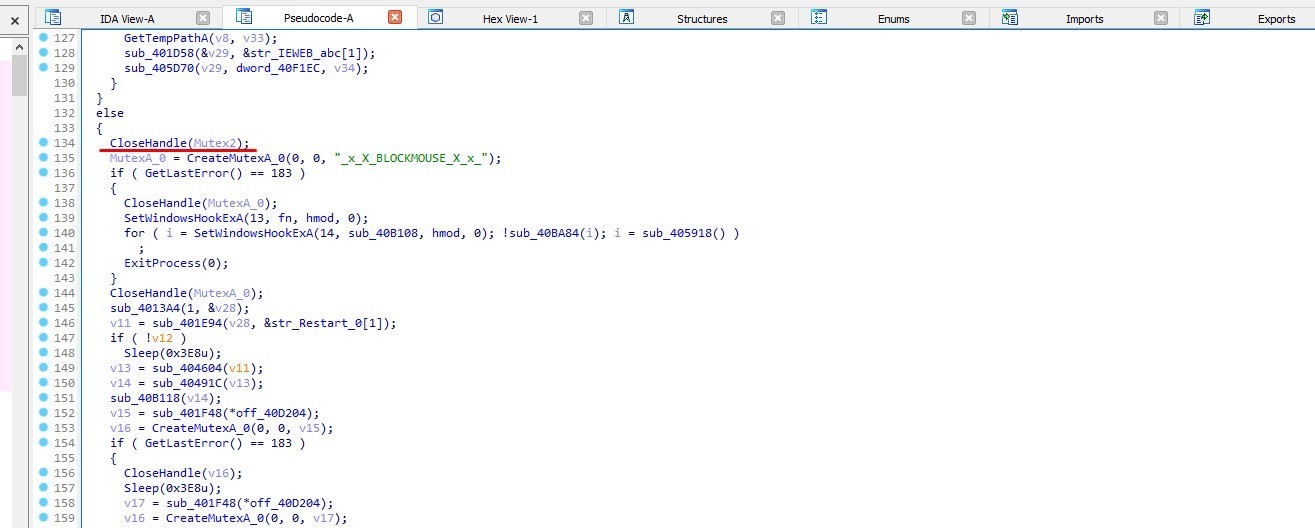
The malware will closes the handle and creates another mutex
MUTEX: _x_X_BLOCKMOUSE_X_x_
Process Injection
In process injection technique, the malware attempts to open a handle of a process either created or already existing in the system’s memory.
In sub_40B7FC CyberGate tries to find a specific window named (Shell_TrayWnd) to retrieve its process ID, and opens a handle to that process. But if it’s not found it tries to create a new process named (explorer.exe), then call sub_4040F4 with ProcessInformation, hProcess as parameters
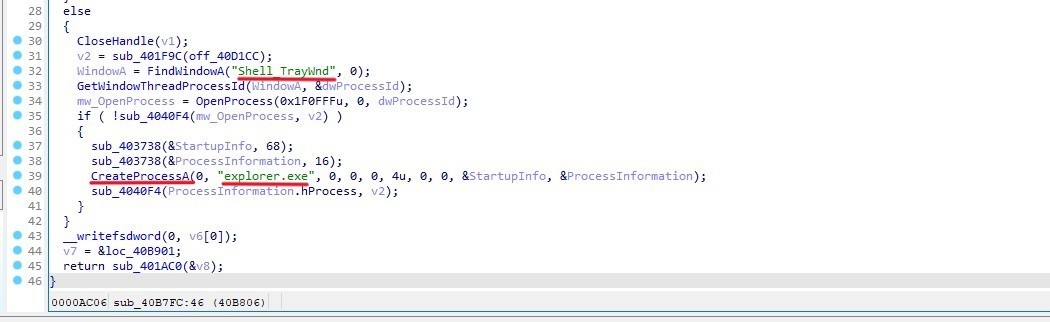
After allocating memory within the created or existing process, the malware fills this memory with the code intended for injection, which contains the malicious instructions.
And that happens in sub_4040F4
The function has loop attempts to allocate virtual memory by using VirtualAlloc, then tries to allocate memory in the process using VirtualAllocEx. This loop continues until it successfully allocates memory (v5) or v3 exceeds 0x30000000 bytes.
Then it applies protection attributes to the allocated memory by using VirtualProtect
Then it Uses WriteProcessMemory to write data to the allocated memory in the target process.
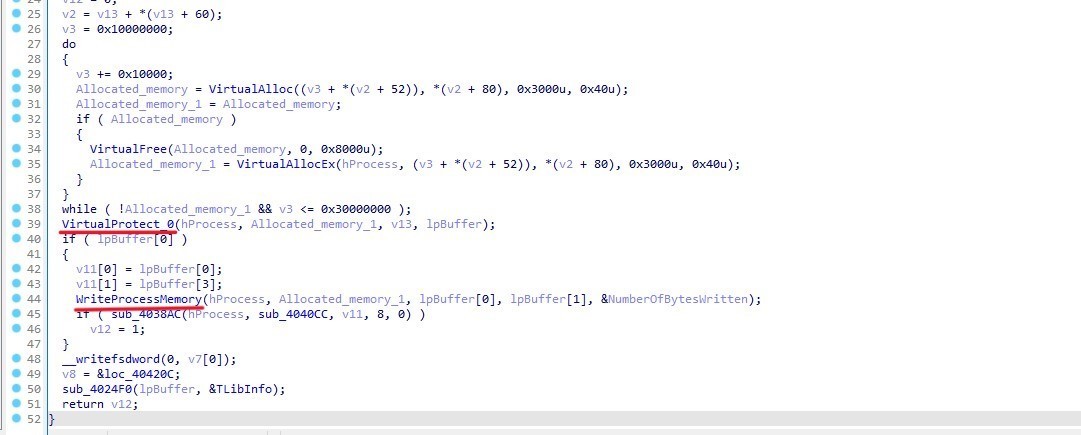
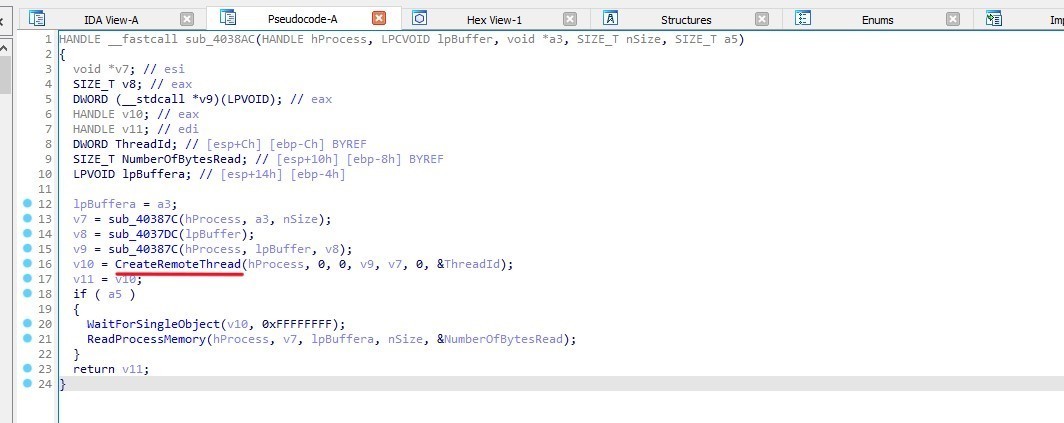
After that the malware executes the injected code by using CreateRemoteThread in sub_4038AC
Writing files
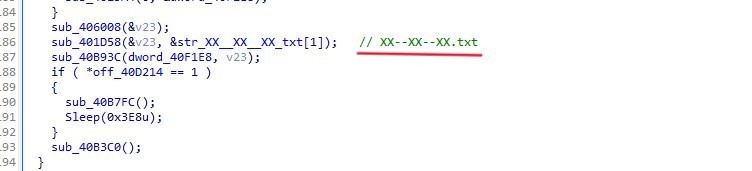
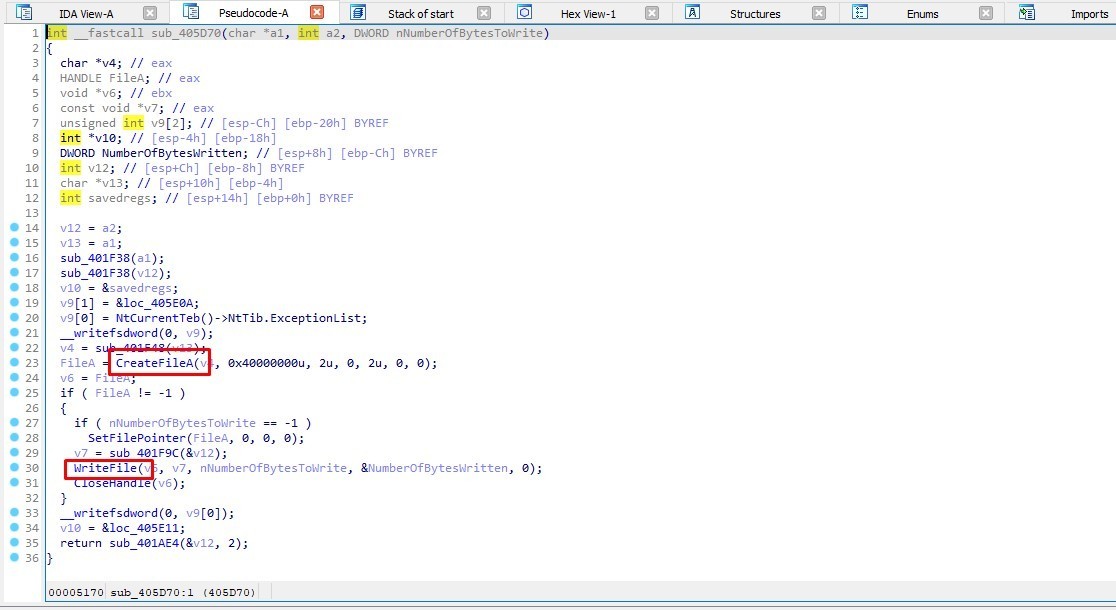
The function sub_405D70 in sub_40B93C, creates and writes a file named XX–XX–XX.txt (which we took a look on it before) by using CreateFileA and WriteFile APIs
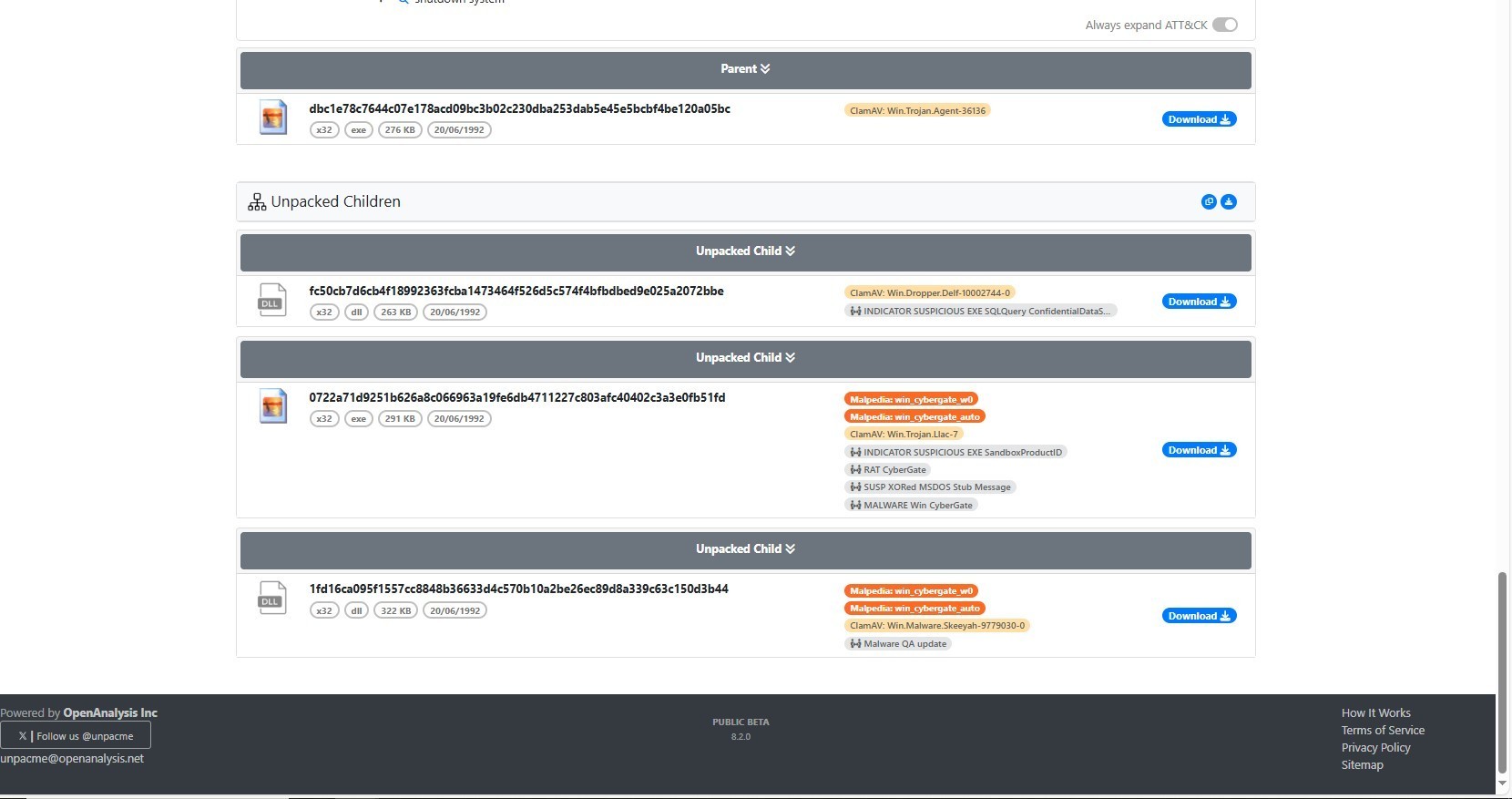
Now that’s enough let’s unpack the sample using unpacme, to make the process faster and get directly to the main unpacked sample.
unpacme results
1st Sample
The sample is a dll written in delphi, I’ll open in in IDA and I’ll do the same thing I did for the parent sample
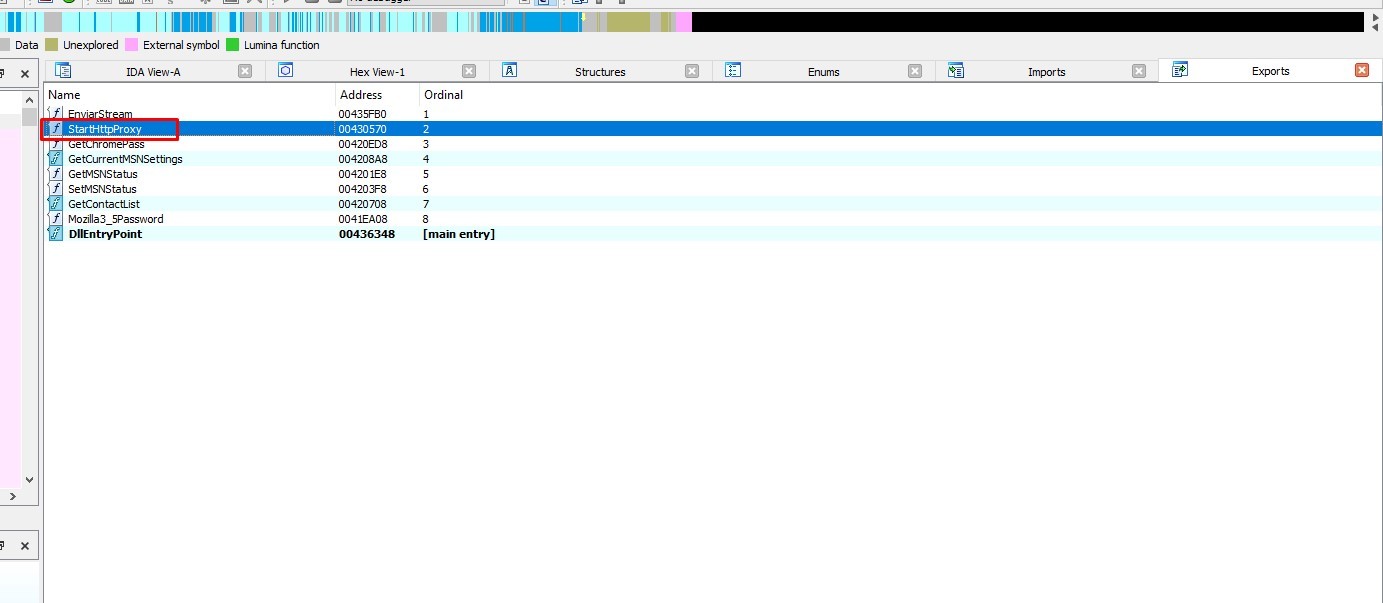
The dll entry point doesn’t have anything important, so let’s start from StartHttpProxy export
Firewall Evasion
In sub_4302E4 the malware set Root Key to
HKEY_LOCAL_MACHINEand attempts to open a series of nested registry keys underHKEY_LOCAL_MACHINE\SYSTEM\CurrentControlSet\Services\SharedAccess\Parameters\FirewallPolicy\StandardProfile\AuthorizedApplications\List. It will created if it does not existThen concatenates three strings (v2, “:*:Enabled:”, and “Windows Firewall Update”) into v7
and finally Writes the concatenated string v7 to the registry above, using System__AnsiString as the value name.
“Windows Firewall Update” application has been added to the list of authorized applications. The “*:Enabled:” part typically means that all ports and protocols are enabled for this application, potentially allowing it to communicate freely through the firewall.
Thats mean that the malware maybe run with name “Windows Firewall Update” to evade firewall
Creating Mutex
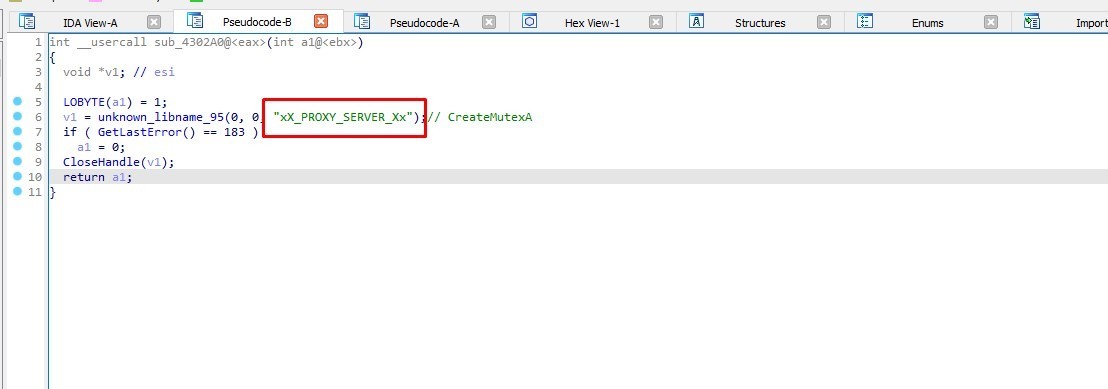
Then the malware creates a mutex
MUTEX: xX_PROXY_SERVER_Xx
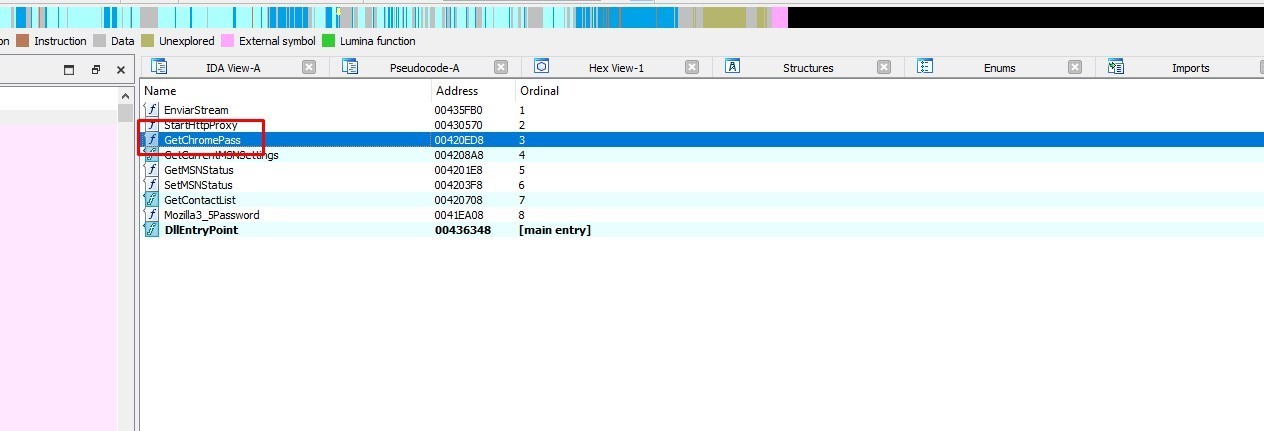
Let’s go to GetChromePass export
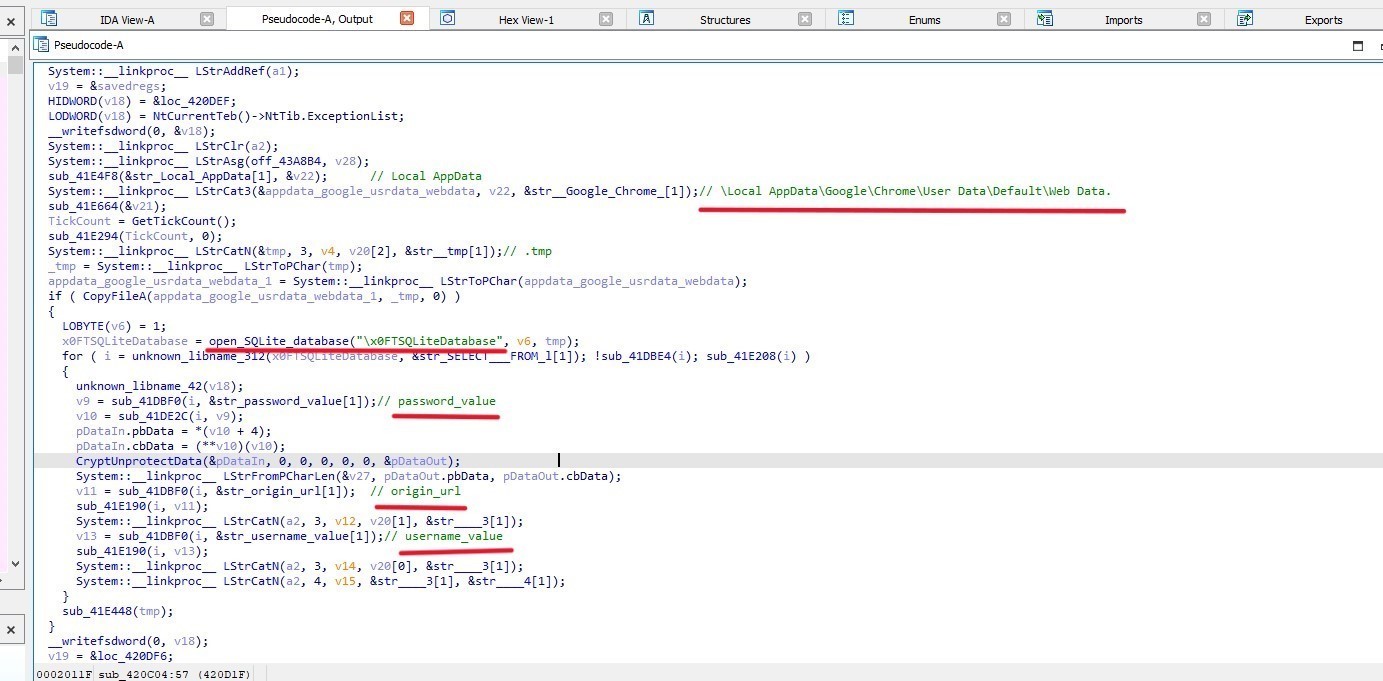
In sub_420C04 the malware assigns the string “SOFTWARE\Microsoft\Windows\CurrentVersion\Explorer\Shell Folders” to v8 and assigns the string Local AppData to v7.

Then it:
retrieves a specific value from the Windows Registry under a given key (Local AppData) registry (SOFTWARE\Microsoft\Windows\CurrentVersion\Explorer\Shell Folders)
Copies a file from “\Local AppData\Google\Chrome\User Data\Default\Web Data” to TMP folder
Opens an SQLite database named “\x0FTSQLiteDatabase”
Loops through Database Query Results then Retrieves and processes the password value, username_value, origin_url
Decrypts data (pDataIn) using CryptUnprotectData and stores it in pDataOut
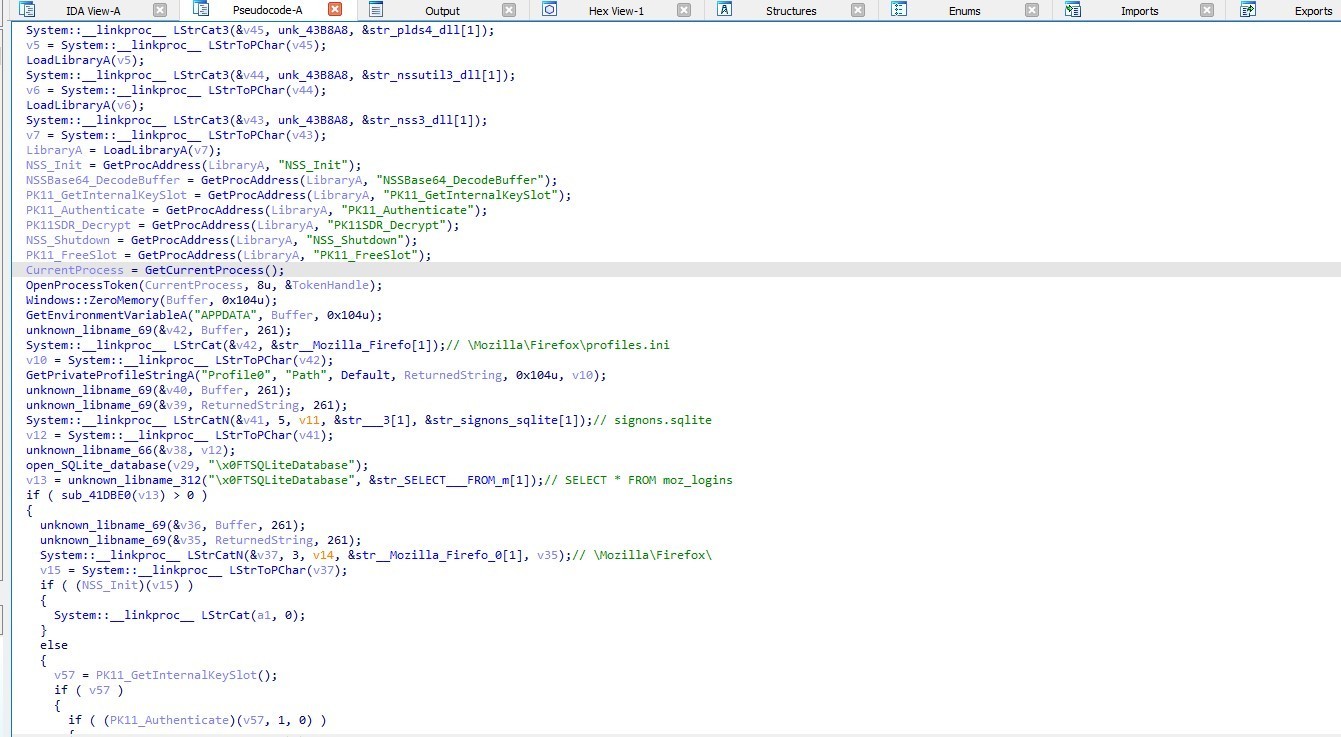
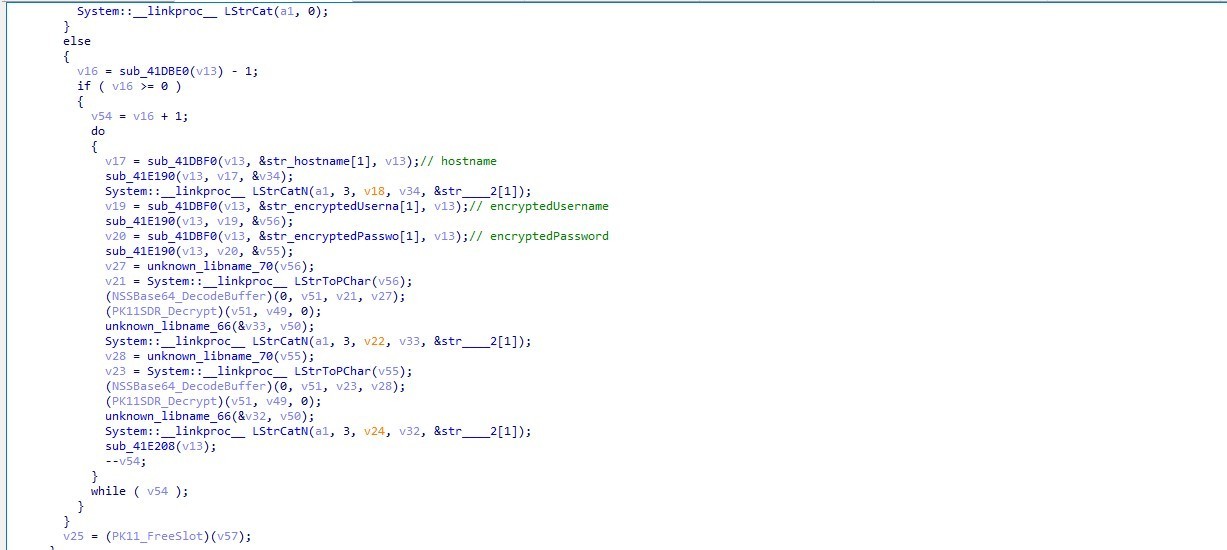
In Mozilla3_5Password export, the malware gets Mozilla’s password
2nd Sample
Let’s go to the second sample
It is the process that the malware injected malicious code in it which named server.exe
So it’s just the parent sample but with removing upx layer
Anyway let’s go to the last sample
3rd Sample
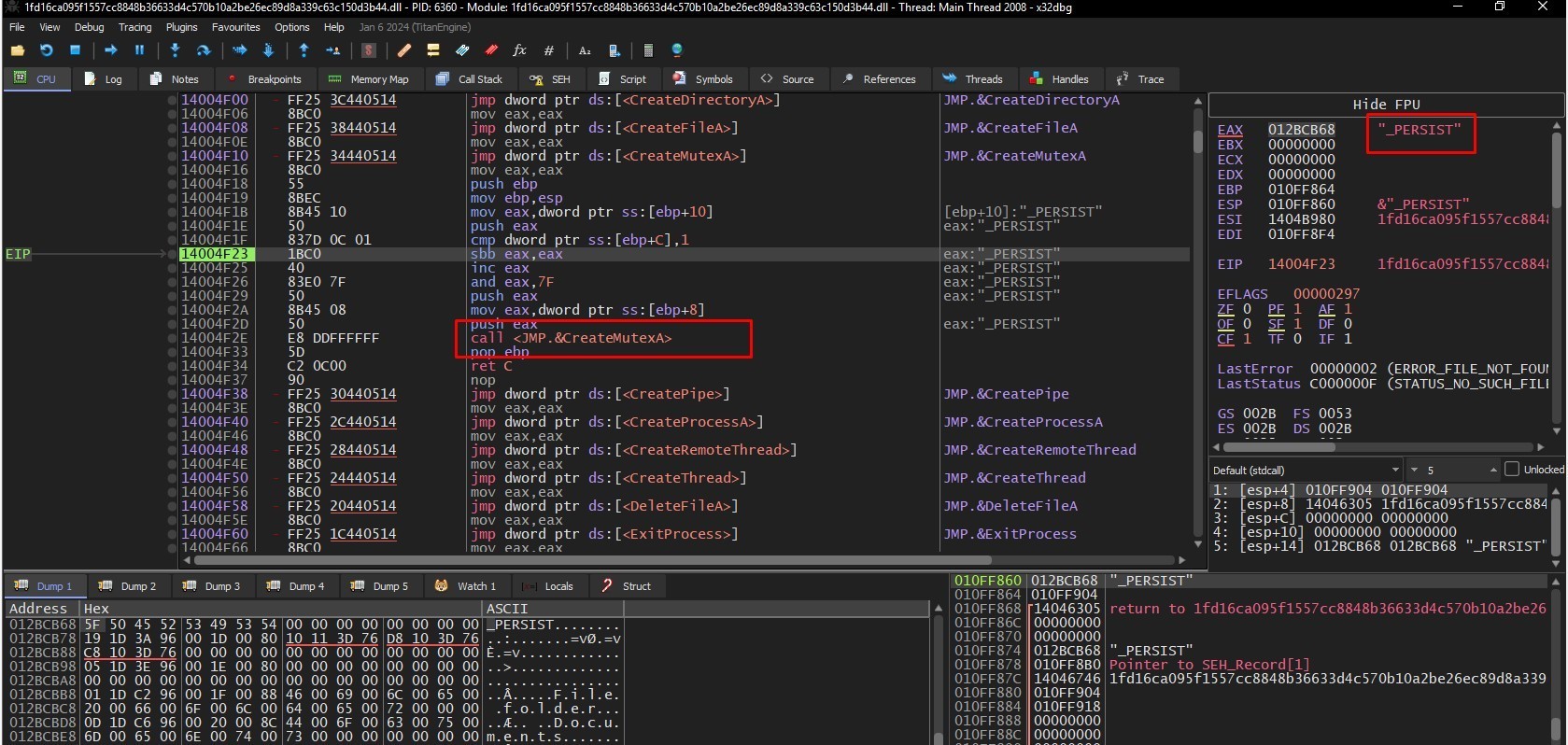
Creating 1st Mutex
First it creates mutex
MUTEX: ***MUTEX***_PERSIST
Achieving PERSISTENCE
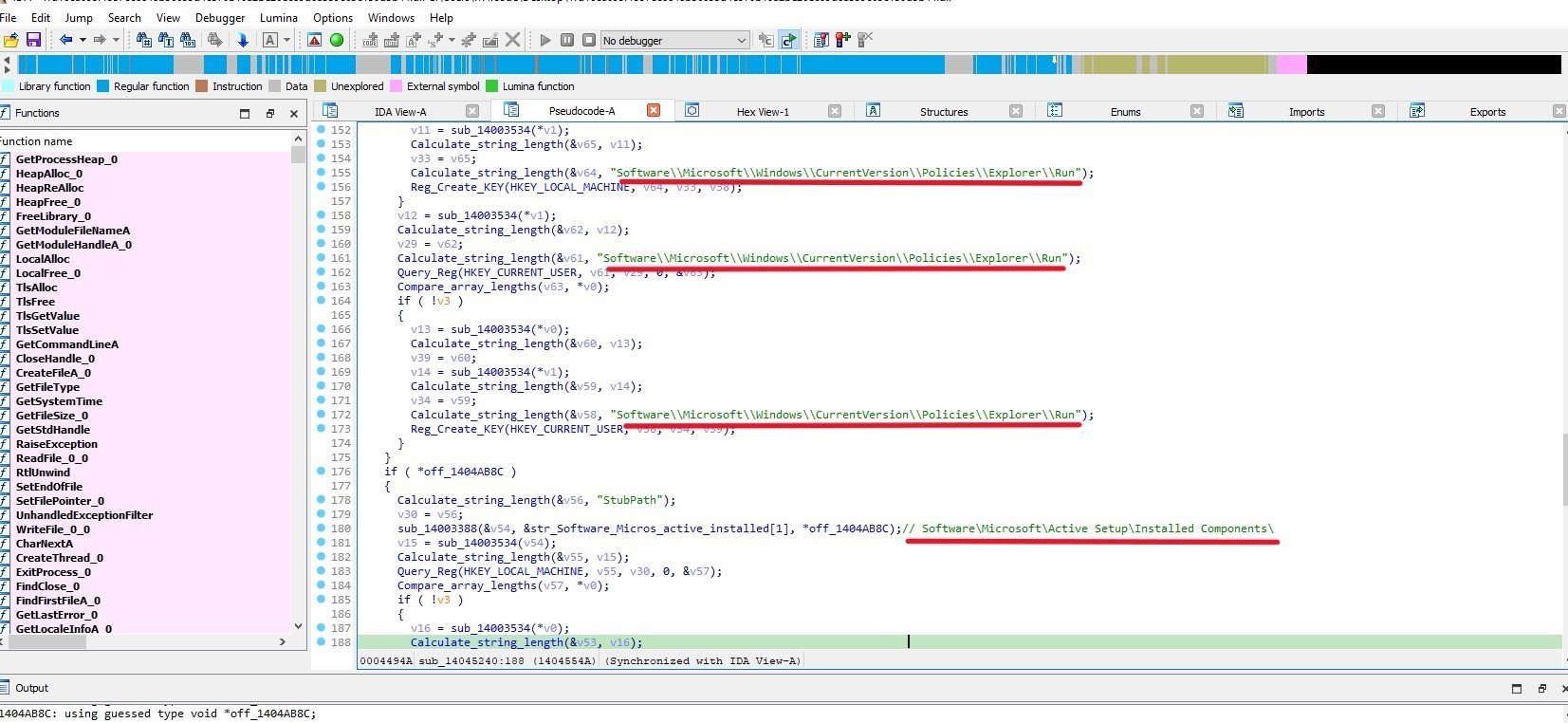
In sub_14045240
The malware creates and set these registry keys
Creating 2nd Mutex
Then It creates another mutex
MUTEX: ***MUTEX***_SAIR

Process Injection
CyberGate creates thread

Get the id of process

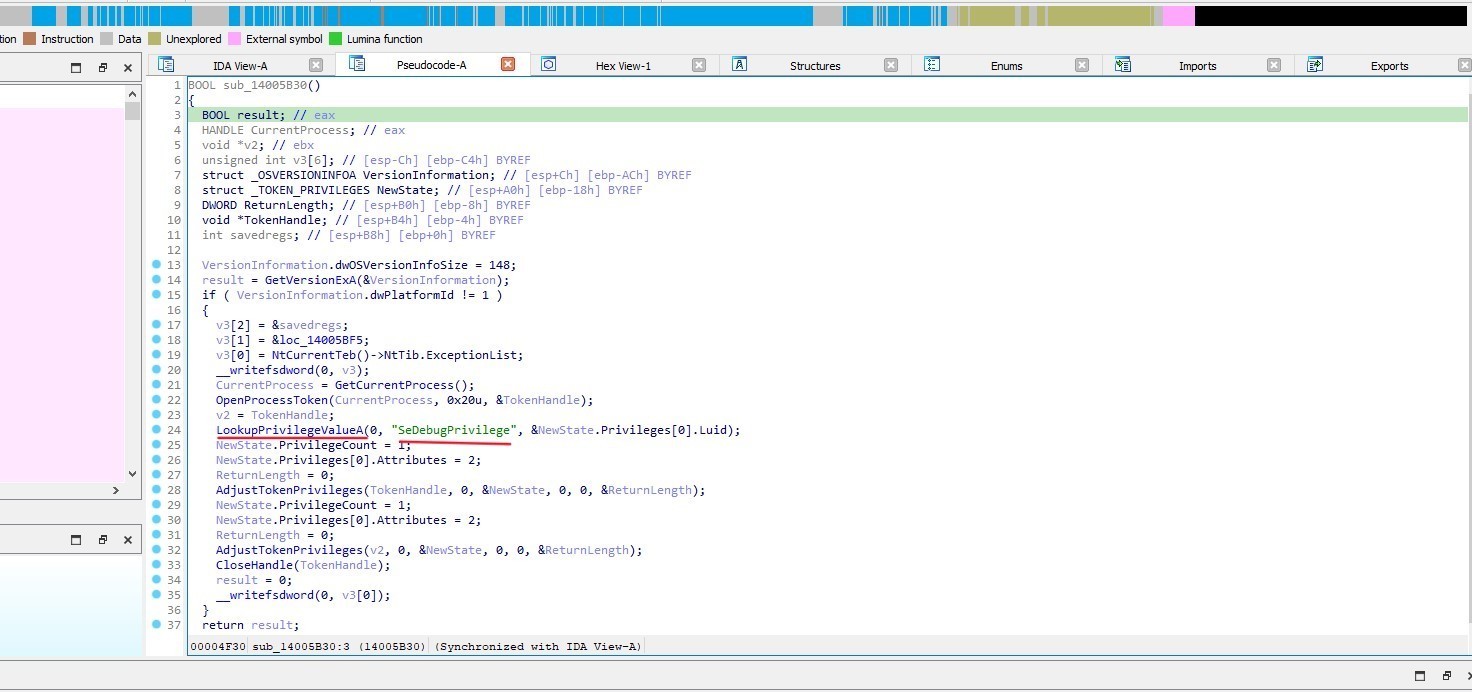
Then it uses LookupPrivilegeValueA, “SeDebugPrivilege”
malware uses SeDebugPrivilege to get access to debug and adjust the memory of processes owned by any user in the system
Get local Time
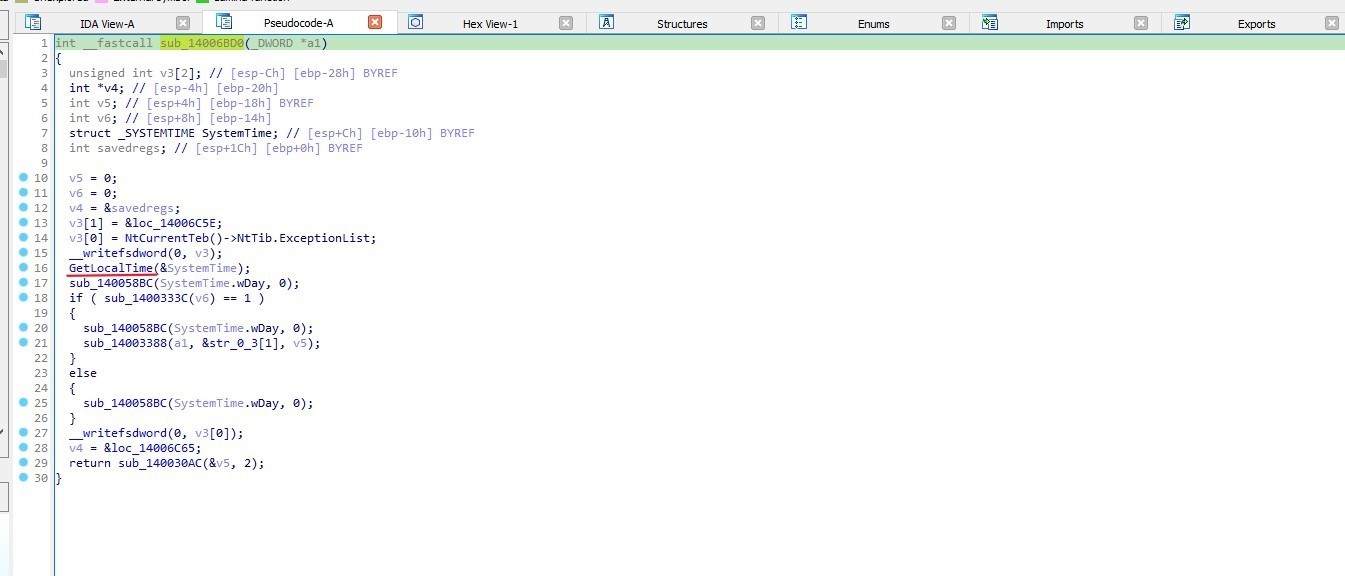
In sub_14006BD0 it fetches the current local time and stores it in the SystemTime structure.
Checking windows version
In sub_14043A04 » sub_14043944
The malware checks for Windows version by checking dwMinorVersion
if it is equal to 1 that means that the windows version is:
Windows NT 3.1 or Windows XP or Windows 7 or Windows Server 2008 R2
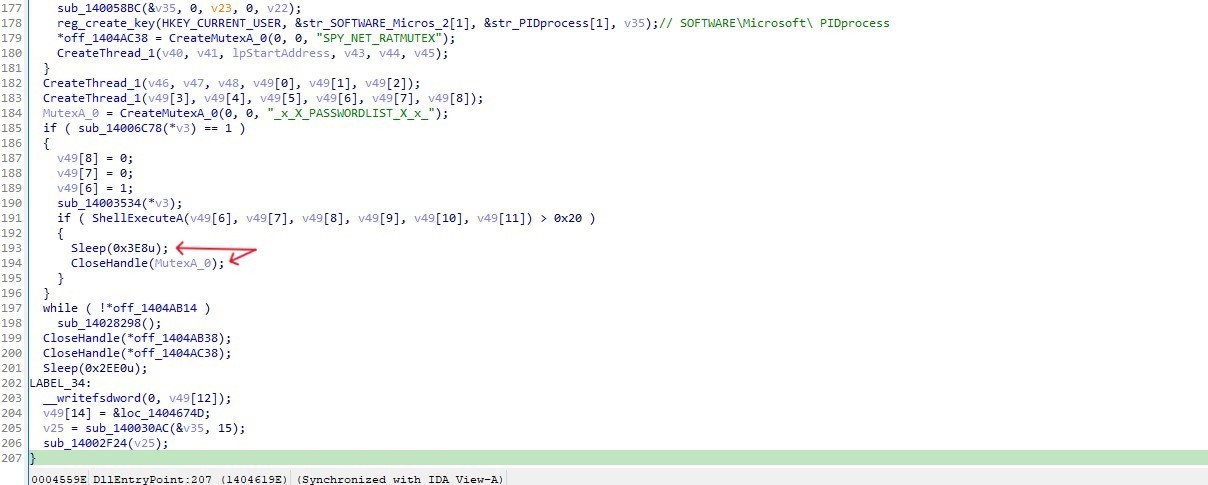
CyberGate creates 3rd mutex SPY_NET_RATMUTEX
Then the code sets up two threads
After that it creates 4th mutex _x_X_PASSWORDLIST_X_x_
then executes a shell command using ShellExecuteA. If the result of ShellExecuteA is greater than 0x20 (32), the following actions are taken:
The program sleeps for 1000 milliseconds (1 second).
The mutex handle MutexA_0 is closed using CloseHandle.
The last thing in our malware is this function
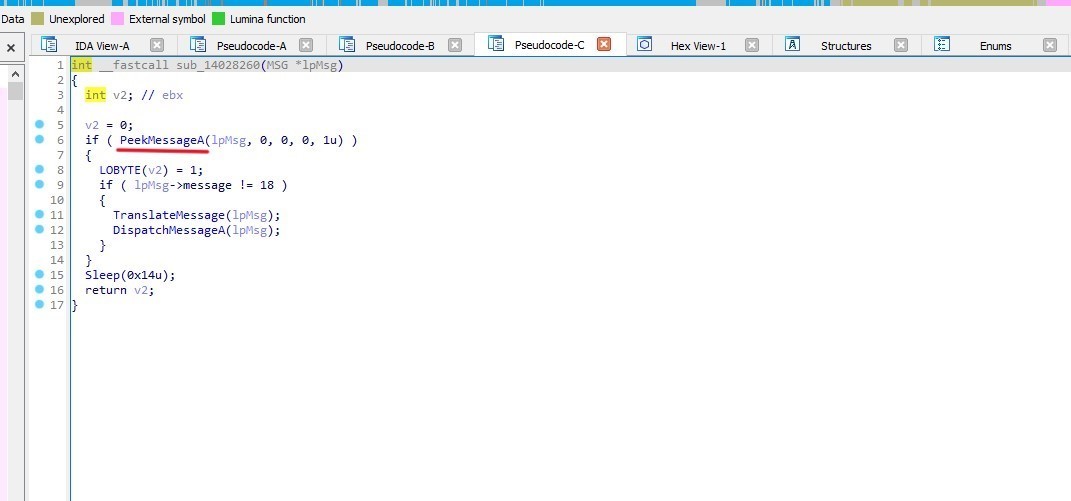
The function checks for a Windows message using PeekMessageA. If a message is found and it is not WM_QUIT, the message is translated and dispatched Then it sleeps for 20 milliseconds to avoid busy-waiting and to give other processes some CPU time.
The function returns 1 if a message was processed, otherwise it returns 0.
IOCs
MITRE ATT&CK
TACTIC | TECHNIQUE TITLE | MITRE ATT&CK ID |
|
|---|---|---|---|
Persistence | Boot or Logon Autostart Execution | T1547 |
|
| Registry Run Keys / Startup Folder | T1547.001 |
|
| Active Setup | T1547.014 |
|
Privilege Escalation | Boot or Logon Autostart Execution | T1547 |
|
| Registry Run Keys / Startup Folder | T1547.001 |
|
| Active Setup | T1547.014 |
|
Defense Evasion | Modify Registry | T1112 |
|
Discovery | System Information Discovery | T1082 |
|
This blog is authored by Mostafa Farghaly(M4lcode).


Frequently asked questions
Still have questions?
Can’t find the answer you’re looking for? Please chat with our friendly team.